

The first step is to modify the action diagram of the Edit Horse function so that the Display Racing results function is called when the end user types / in the Subfile selector field and selects the Display Racing results action from the Selector Choice menu of the Edit Horse function’s action bar.
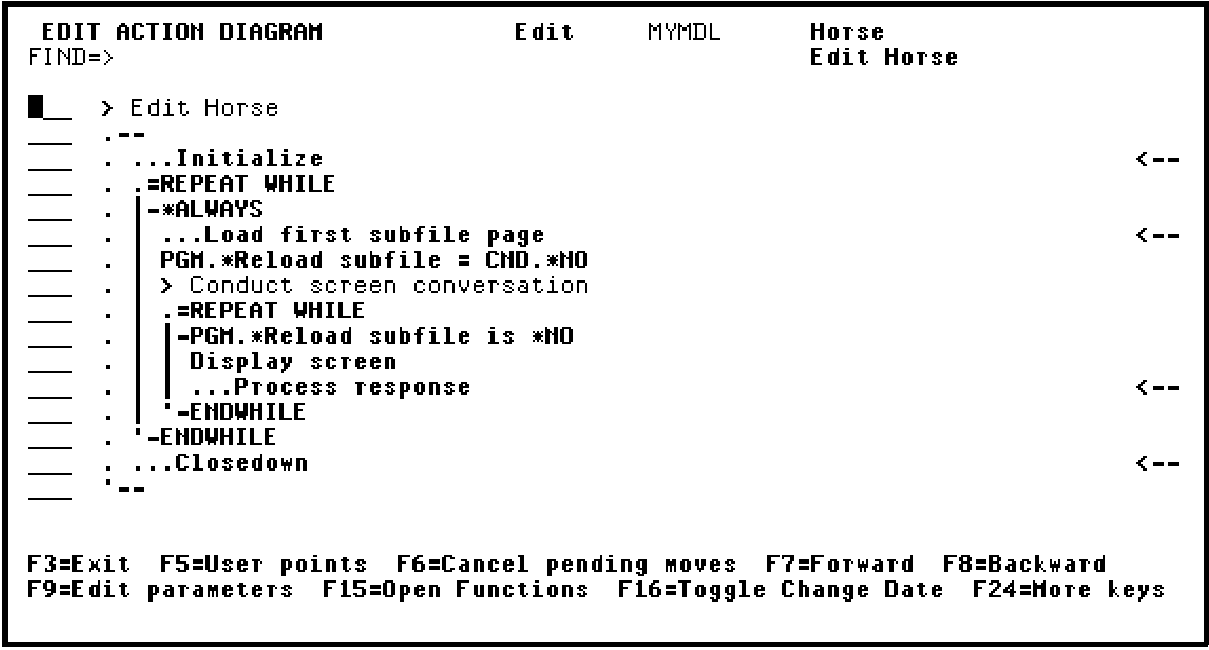
You will access the Action Diagram Editor for the Edit Horse function and locate the USER: Validate subfile record relations user point. Recall that user points are the areas in an action diagram that you can modify.
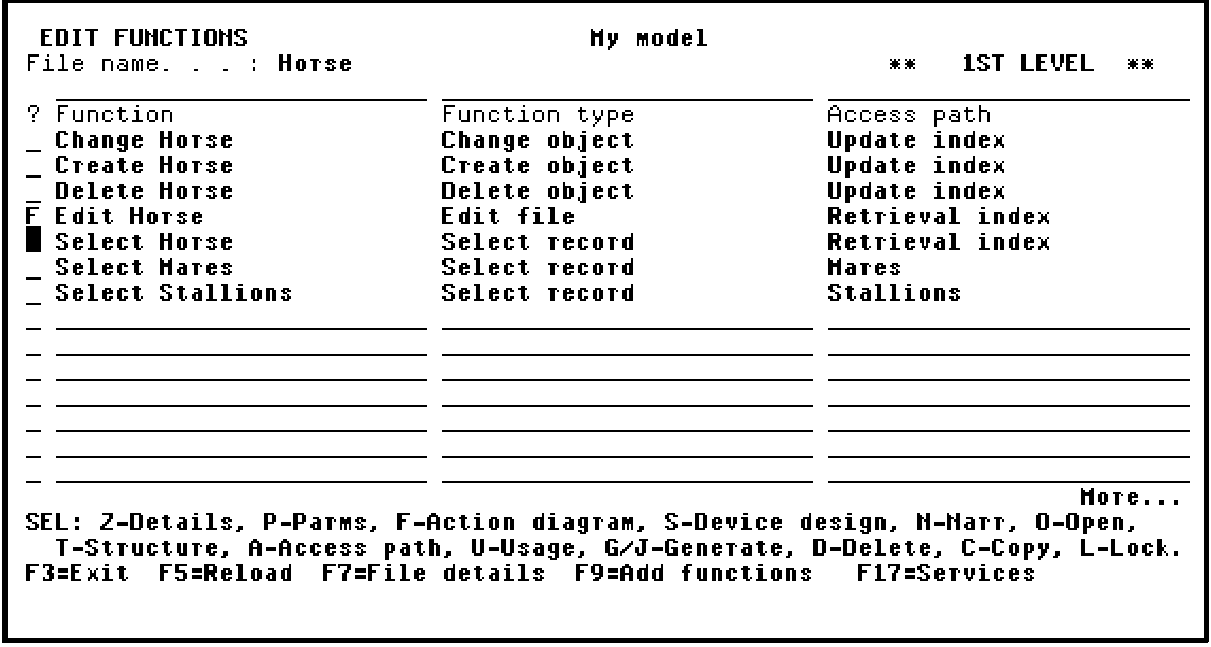
From the Edit Functions panel, type F next to the Edit Horse function to enter the action diagram.
Press Enter.
|
Copyright © 2014 CA Technologies.
All rights reserved.
|
|