

An empty CASE construct has been inserted in the action diagram. The CASE construct by itself only specifies the condition and not the action that is to be taken if the condition is satisfied. You will now add this action.
In this case, you only require a single action. As a result, type IA (Insert action).
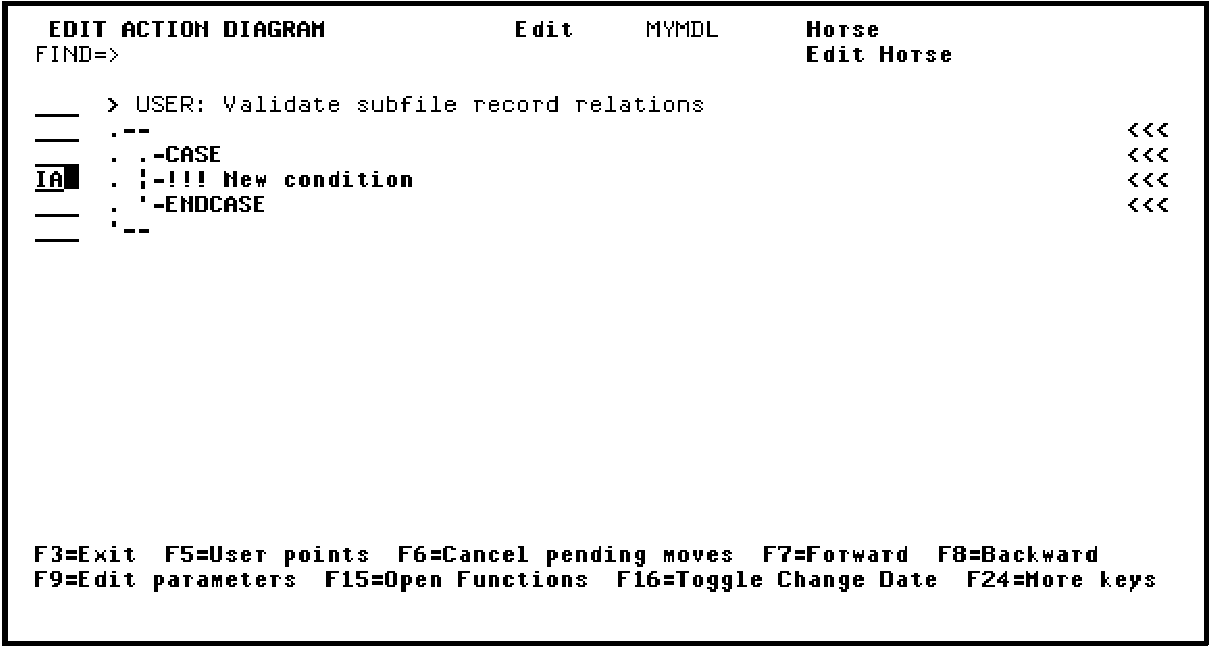
Press Enter to insert the new action.
Note: If you wanted more than one action to result from the condition, you could add more actions using the IA option repeatedly or by inserting a sequence construct using the IS option.
The logic of the action diagram for the first validation is now complete.
|
Copyright © 2014 CA Technologies.
All rights reserved.
|
|