

The Edit Screen Format Details panel contains a list of all fields associated with this function. You may not want to show all of the fields on your panel. You can hide fields you do not want displayed by typing H in the Subfile selector of the Edit Screen Format Details panel.
In this step you will hide the following non-key fields: Horse value, Dam Horse code, Dam name, Dam Date of birth, Sire Horse code, Sire name, and Sire Date of birth. Type H next to these fields.
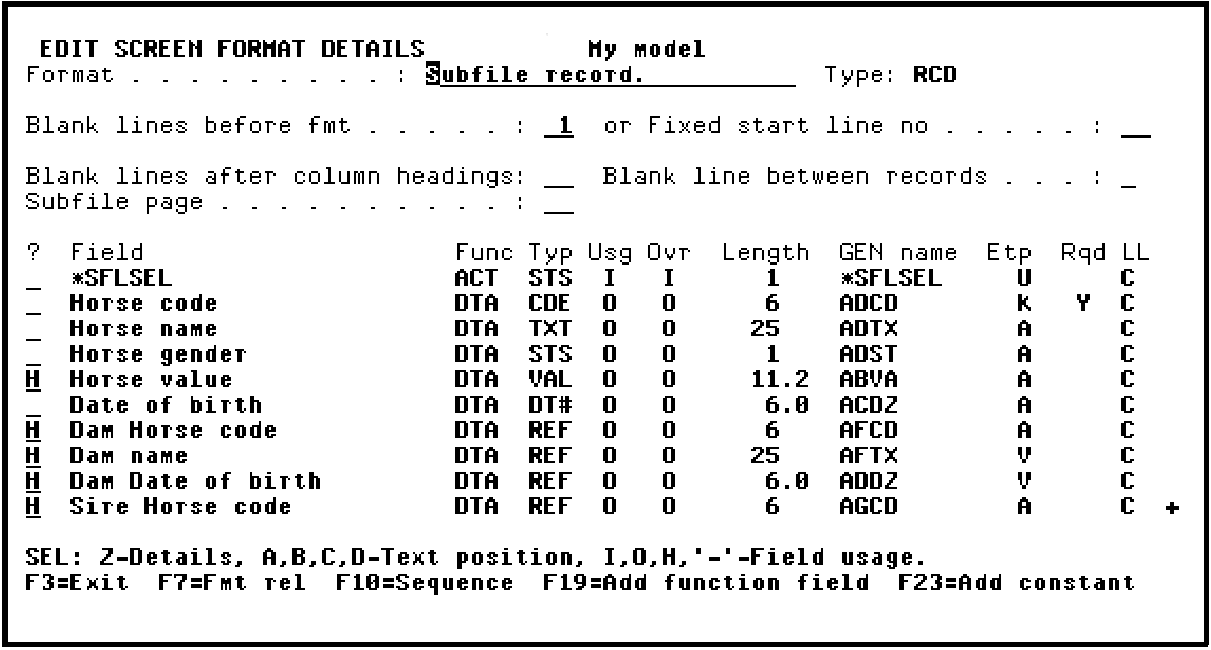
Press Roll Up to display more fields. Type H next to Sire Name and Sire Date of Birth.
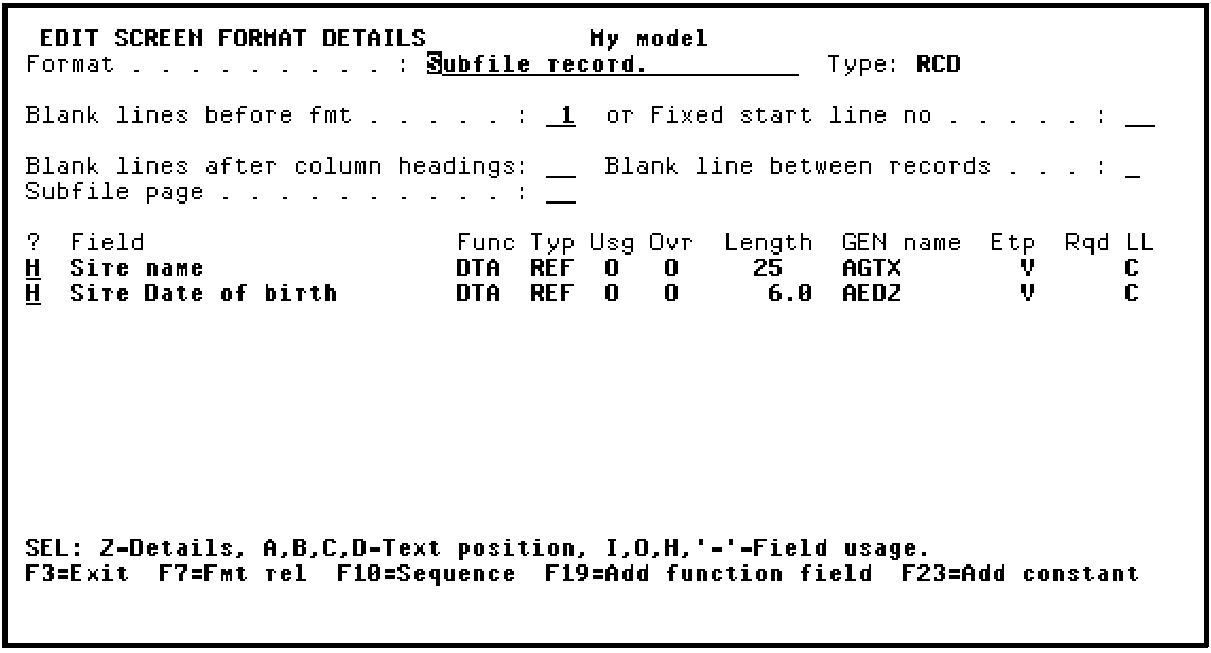
Press Enter. Note that the value of the Ovr (Override) column for the selected fields changed from O to H.
Press F3 to return to the Device Design Editor.
|
Copyright © 2014 CA Technologies.
All rights reserved.
|
|