

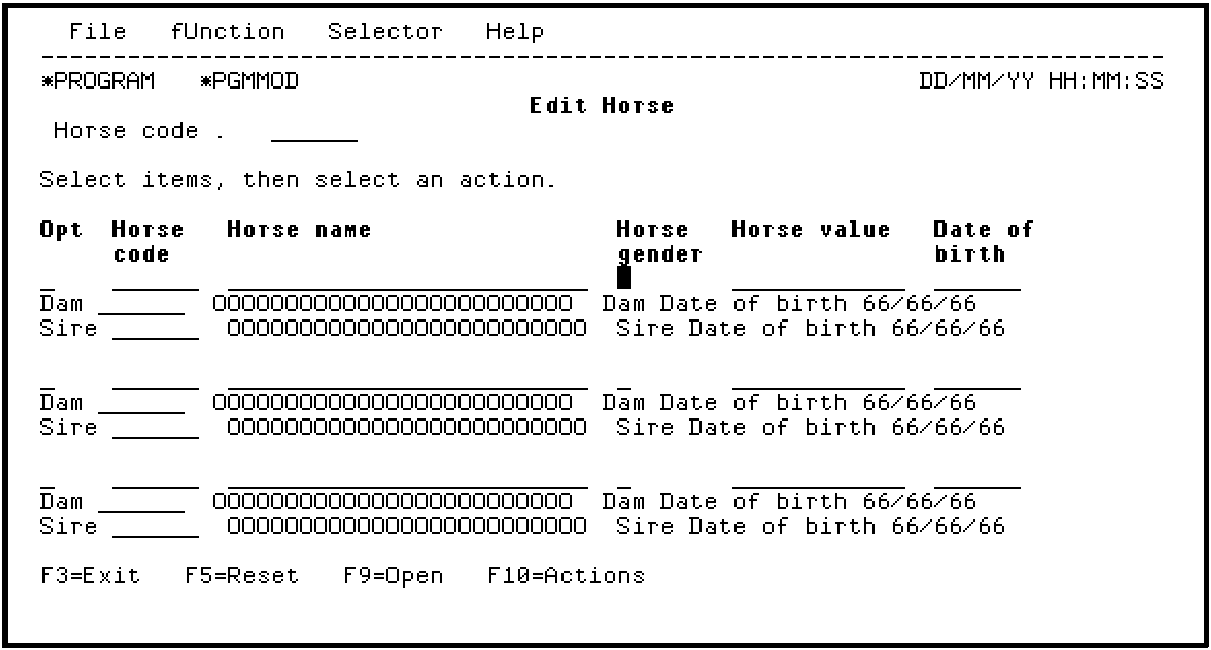
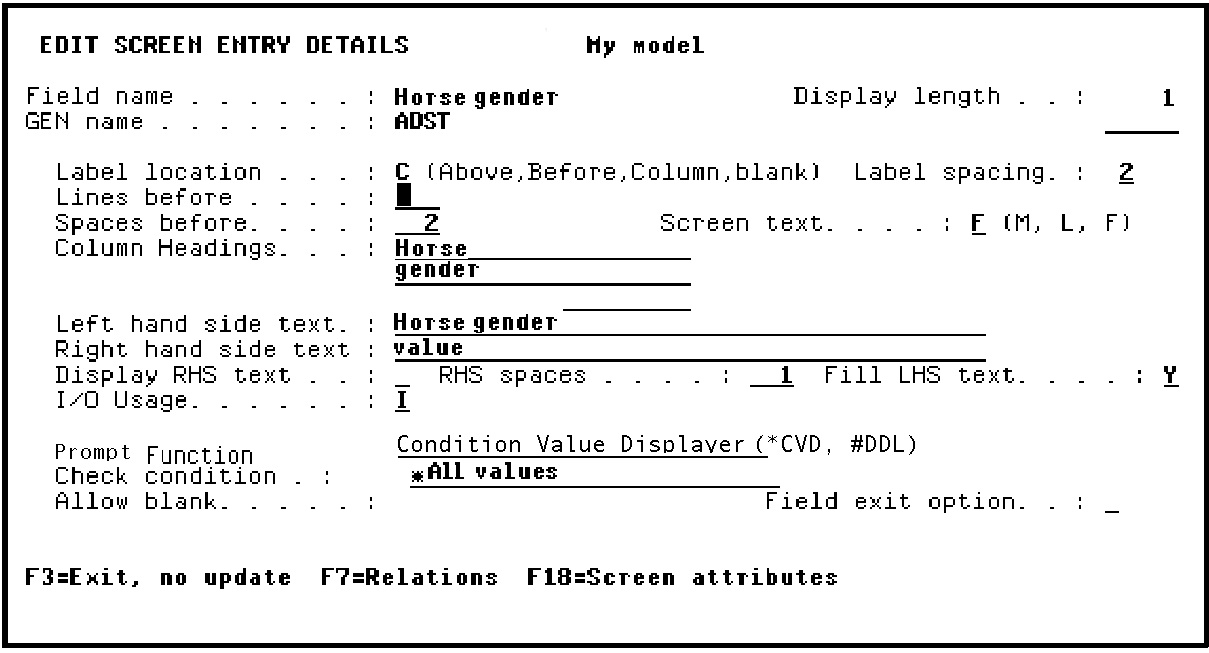
The Label spacing field on the Edit Screen Entry Details panel lets you position a field with respect to its label. This applies to fields on the same line as their label as well as to fields positioned below their label. One use of the Label spacing field is to center a field whose length is shorter than the label length; for example, the Horse gender field.
In this step you will center the Horse gender field below its label. To do this, access the Edit Screen Entry Details panel for the Horse gender field. Position the cursor.
Press Enter.
Type 2 in the Label spacing field to move the field two positions to the right and press Field Exit.
Press Enter to return to the Device Design Editor.
Note that the Horse gender field is now centered below its label.
|
Copyright © 2014 CA Technologies.
All rights reserved.
|
|