

You can reduce the length of the lines on the panels by shortening the field labels. This is done by editing the individual field entry details using the Edit Screen Entry Details panel.
To display the field entry details for any field, place the cursor on that field or its label in the first subfile record and press the Enter key. To display the field entry details for the Dam Horse code field, place the cursor on the field.
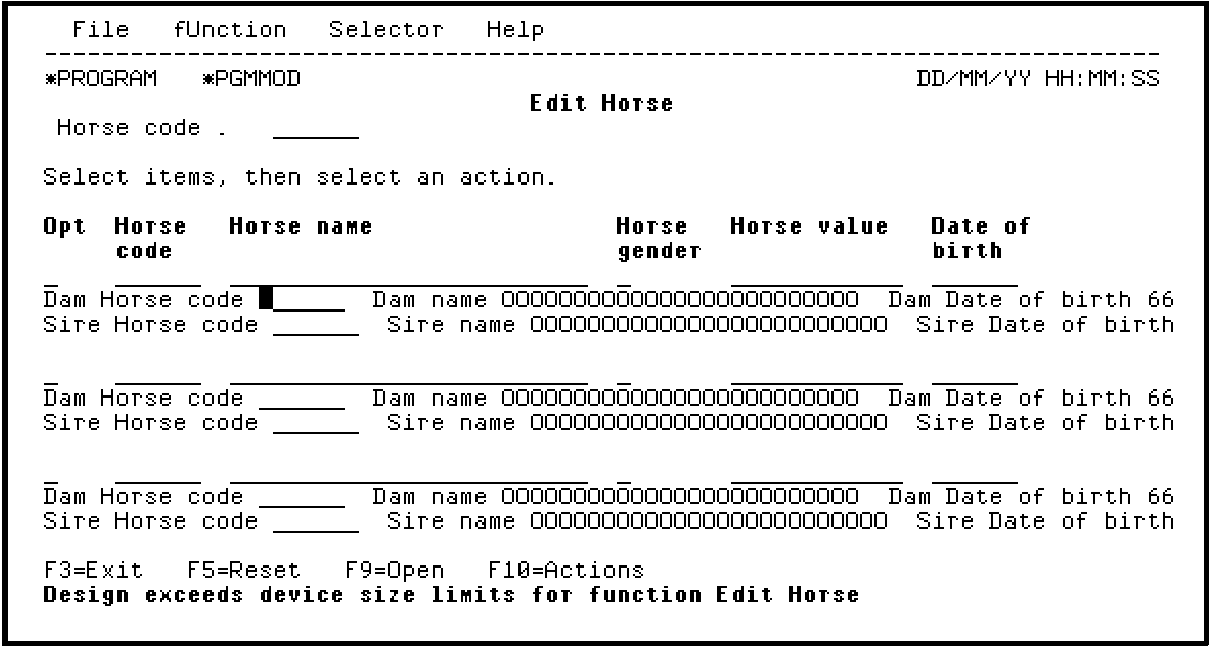
Press Enter to access the Edit Screen Entry Details panel for Dam Horse code.
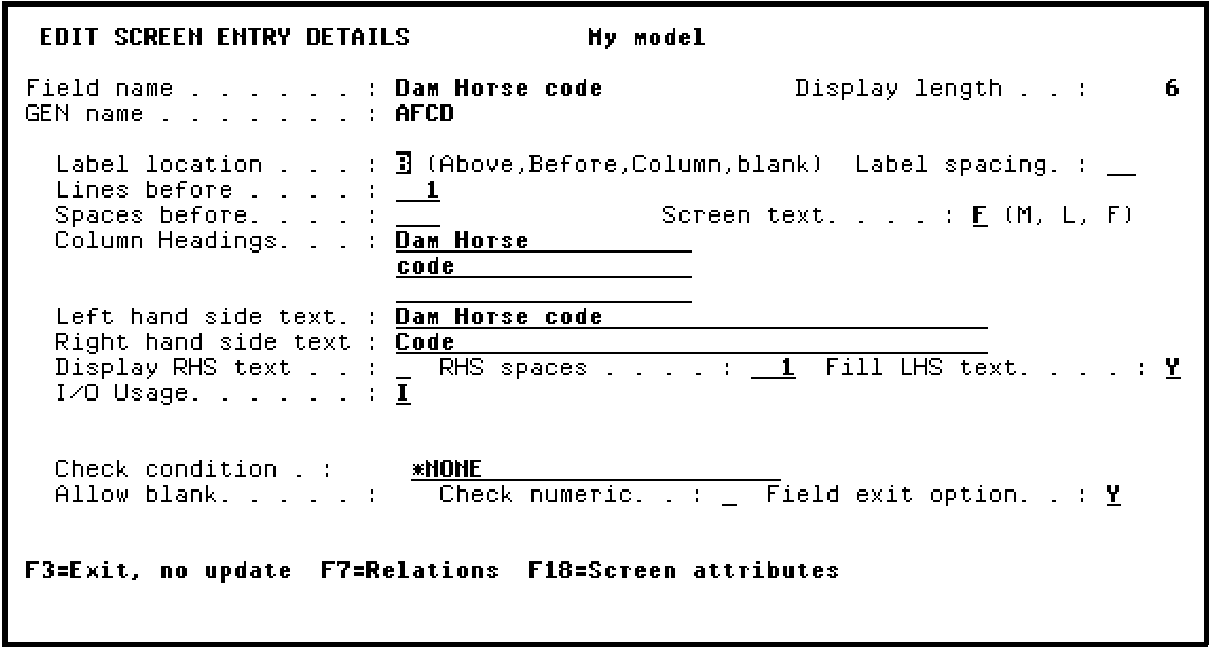
The Edit Screen Entry Details panel gives details of the label location, spacing, text, and position. Note the different versions of the text to be used for the different label positions (Above, Before).
|
Copyright © 2014 CA Technologies.
All rights reserved.
|
|