

You can reduce the width of the device design by folding the subfile records that make up the device design. This way the fields in each record are arranged over several lines rather than in one long line. You will use the F9 key to do this.
The following steps in this tutorial show how to split the information about each horse into three lines that give:
The change in position of the fields on the device design is determined by the position of the cursor when you press the function key. To begin the second line with Dam Horse code, you will simply place the cursor on this field and press F9. The subfile record format will split into two lines. The device design is updated to reflect the change.
Position cursor.
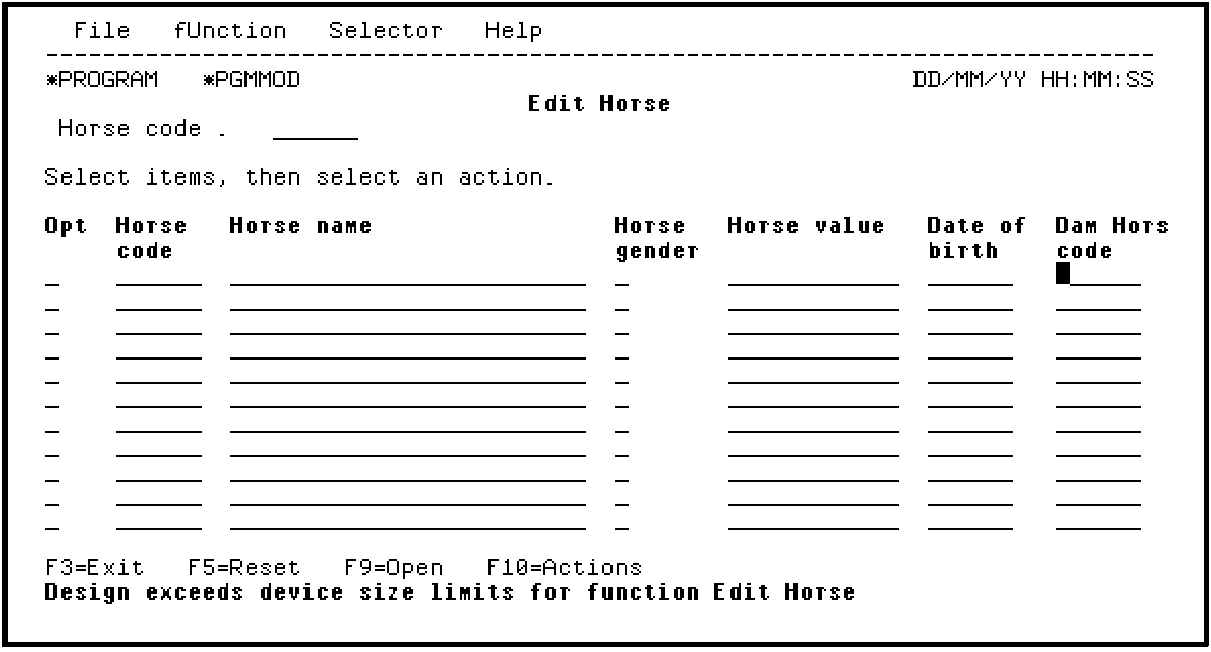
Press F9. The subfile record format now displays only two HORSE records.
|
Copyright © 2014 CA Technologies.
All rights reserved.
|
|