

First, display just those relations defined for the COURSE file by entering Course* on the selection line of the Edit Database Relations panel.
You can display the functions for a particular file by typing F against the file on the Edit Database Relations panel. Type F next to any COURSE file relation.
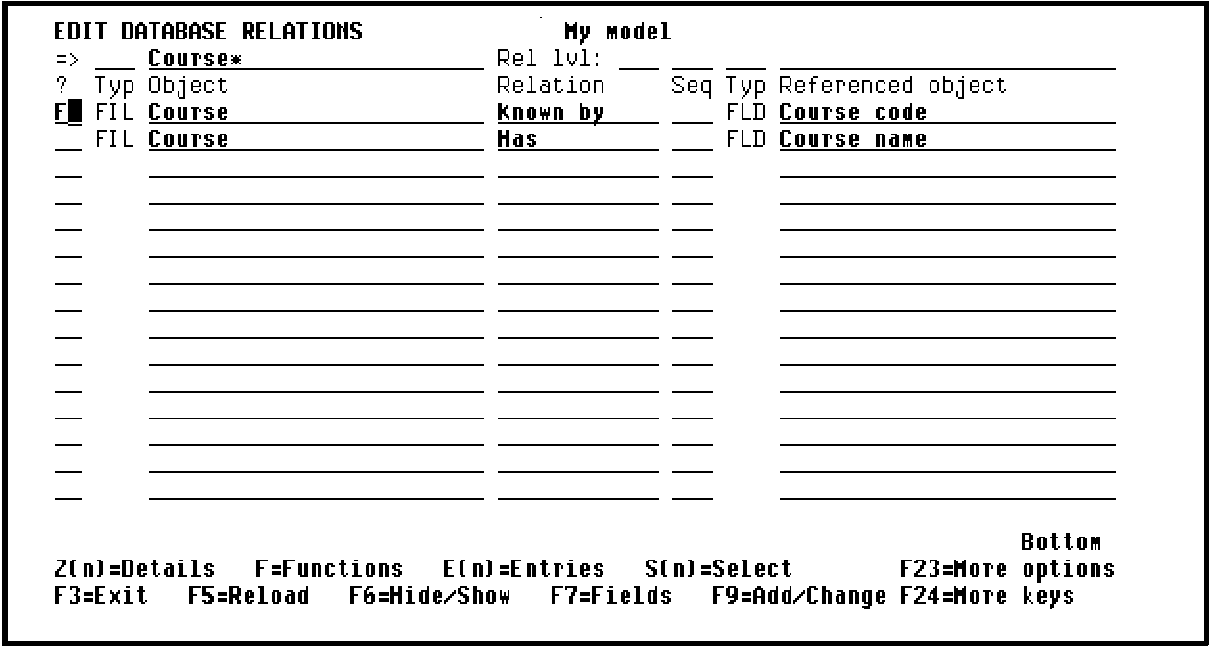
Press Enter to view the five default functions for the COURSE file. The functions for a file are created the first time you enter F against the file on the Edit Database Relations panel.
CA 2E displays messages at the bottom of the panel to indicate this.
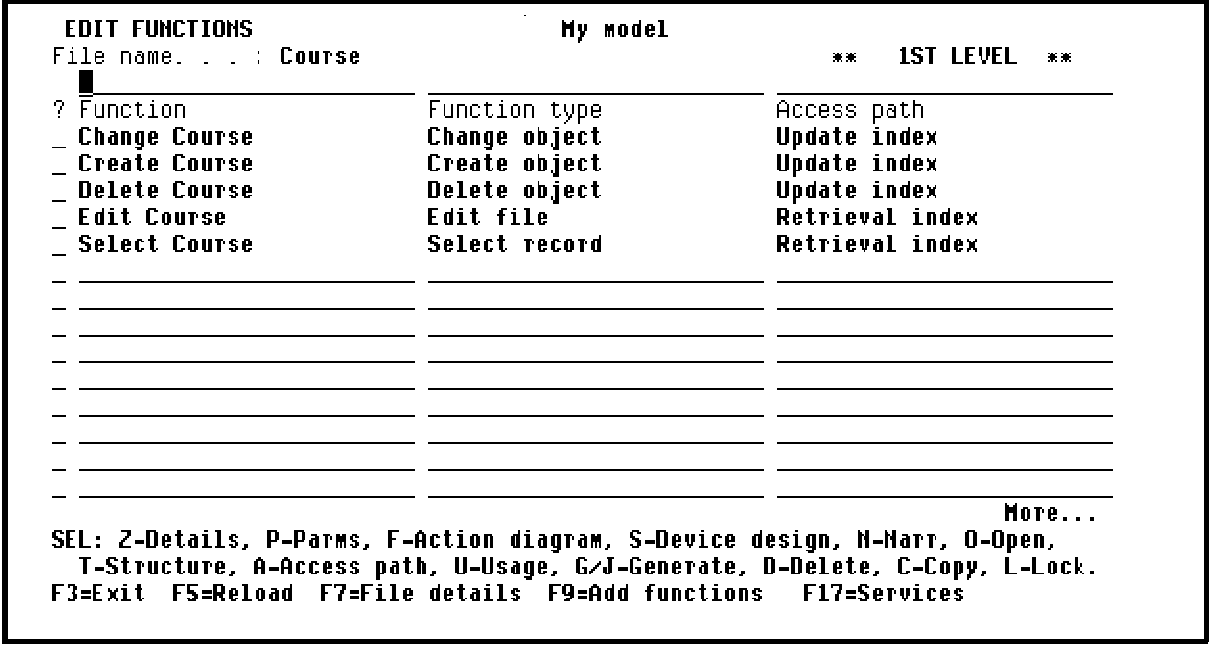
Press F3 to return to the Edit Database Relations panel.
|
Copyright © 2014 CA Technologies.
All rights reserved.
|
|