

Check the file entries for the HORSE file. To display the file entries, type E next to one of the HORSE file relations.
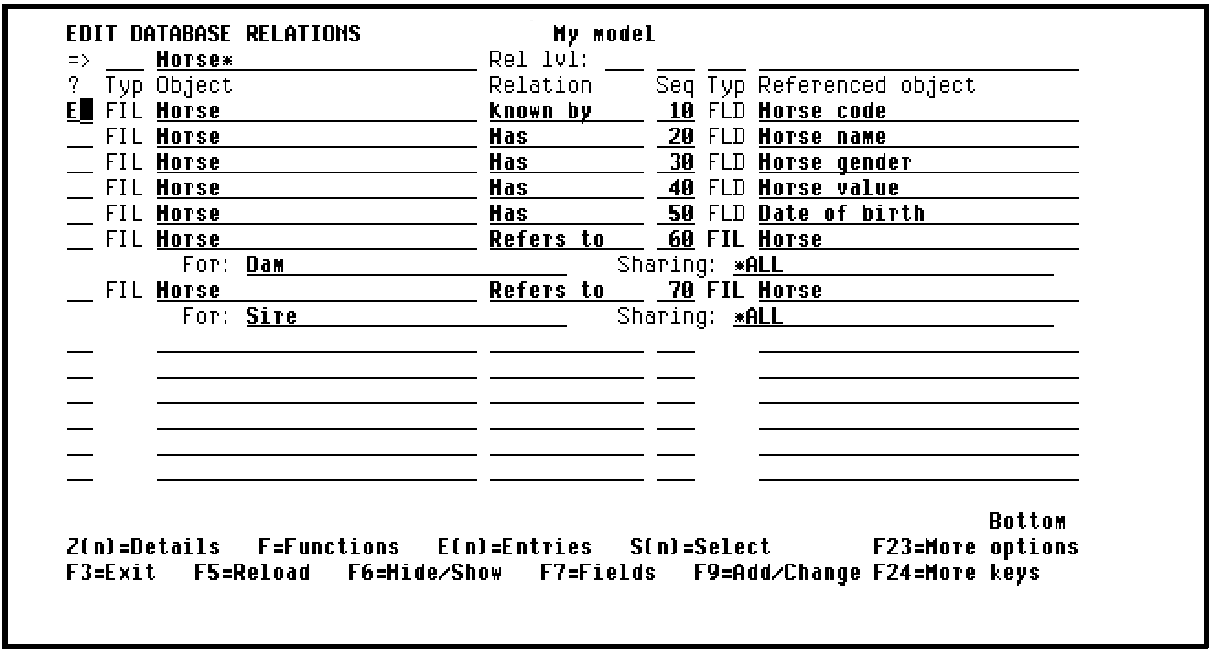
Press Enter to display the Edit File Entries panel.
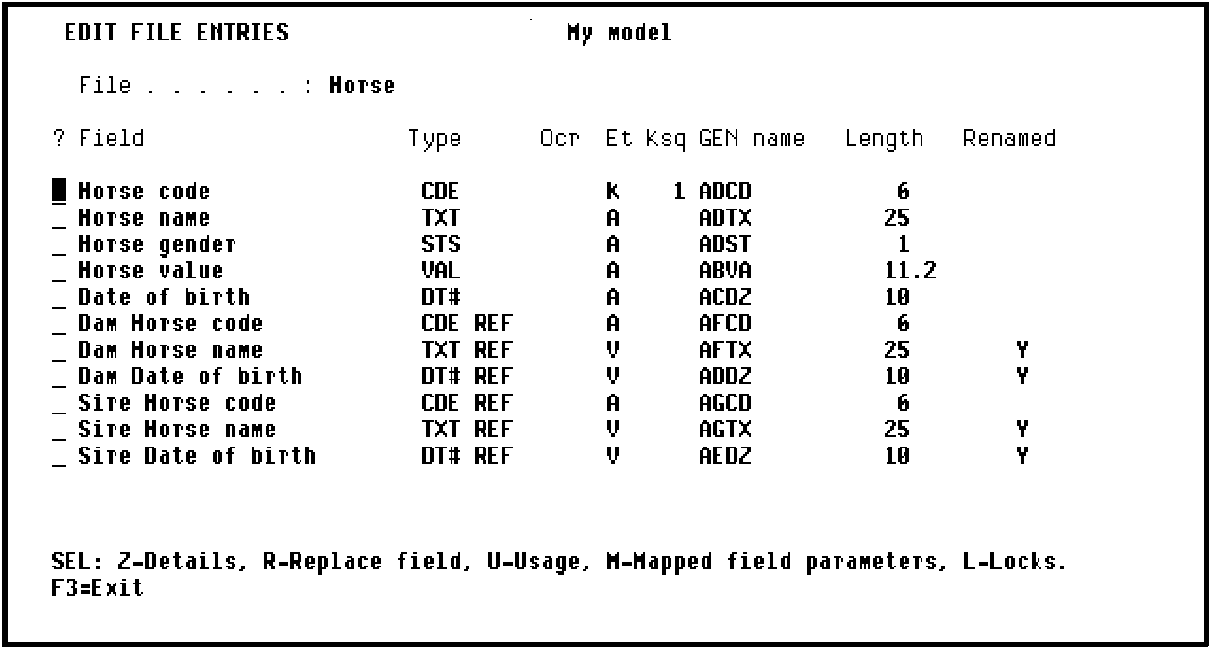
Note that the virtual fields you just specified are included as indicated by a V in the Entry type (Et) column.CA 2E has defined them by reference to the original fields and has named them by prefixing the For text to the original name, for example, Dam Horse name.
|
Copyright © 2014 CA Technologies.
All rights reserved.
|
|