

The procedure for adding virtual fields for the horse’s Sire is the same as for the horse’s Dam. Type V against the HORSE Refers to HORSE For Sire relation.
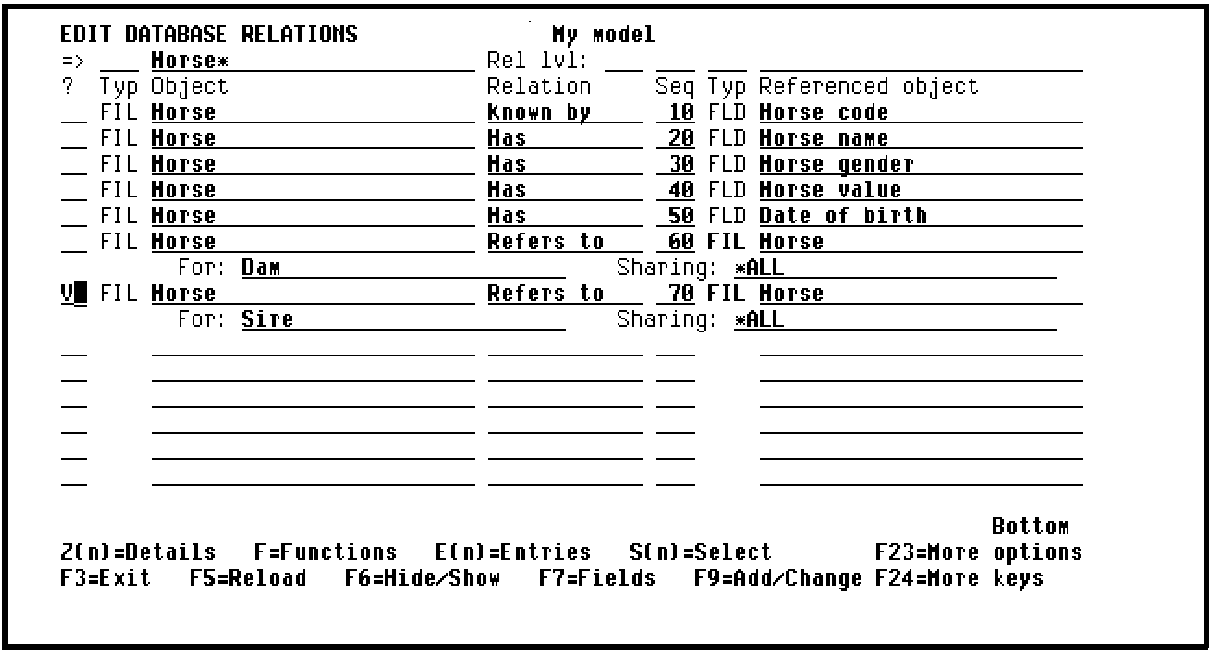
Press Enter to display the Edit Virtual Field Entries panel. This panel now includes the entries Dam Horse name and Dam Date of birth you specified earlier. Note that to assign unique names for these entries,CA 2E prefixed the original field names with the For text you specified in the Refers to relation.
|
Copyright © 2014 CA Technologies.
All rights reserved.
|
|