

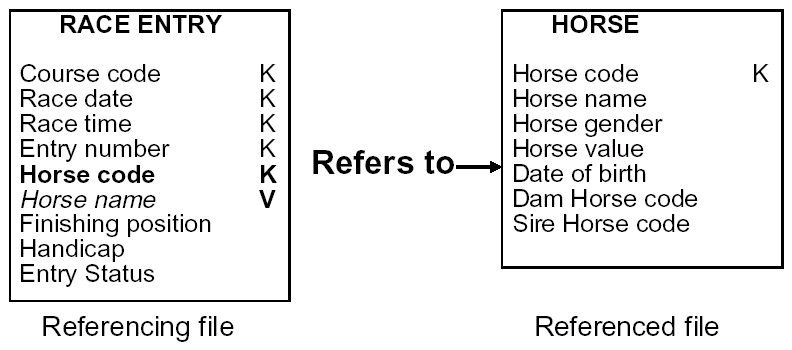
When a file is referenced by another file by means of a Refers to relation, entries are automatically created on the referencing file for the key fields of the referenced file. These are known as foreign keys and are shown in bold in the figure below.
To include a non-key field from the referenced file in the referencing file, you need to specify it as a virtual field. This makes the field available for use in the functions that operate upon the referencing file.
For example, to include the name of the horse when displaying the RACE ENTRY file, specify Horse name as a virtual field on the RACE ENTRY file. As a result, Horse name is physically present on the HORSE file, and is logically, but not physically, present on the RACE ENTRY file. This is shown in italics in the following figure.
Note that this same capability is available when two files are associated with each other by means of an Owned by relation. In other words, non-key fields from the owning file may be included in the owned file as virtual fields.
|
Copyright © 2014 CA Technologies.
All rights reserved.
|
|