

Now that you have specified the relations, you can use the features of the Edit Database Relations panel to display selected objects.
On the top of the Edit Database Relations panel are fields that let you position the display at the part of the model you want to view, and let you control which CA 2E relations are displayed. The line that contains these fields is referred to as the selection line. Type ? in any section of the line to display the values available for selection. If you enter a letter (or string of letters) followed by an asterisk (*) in the Object or Referenced object columns, only those CA 2E objects whose names begin with that letter (or letters) will be selected and displayed.
In the next topic, you will work with the HORSE file. You can simplify the display by selecting and displaying only those relations that define the HORSE file. Do this by typing the file name followed by an asterisk on the selection line. You will use this technique often in this tutorial.
Type Horse* in the Object column of the selection line.
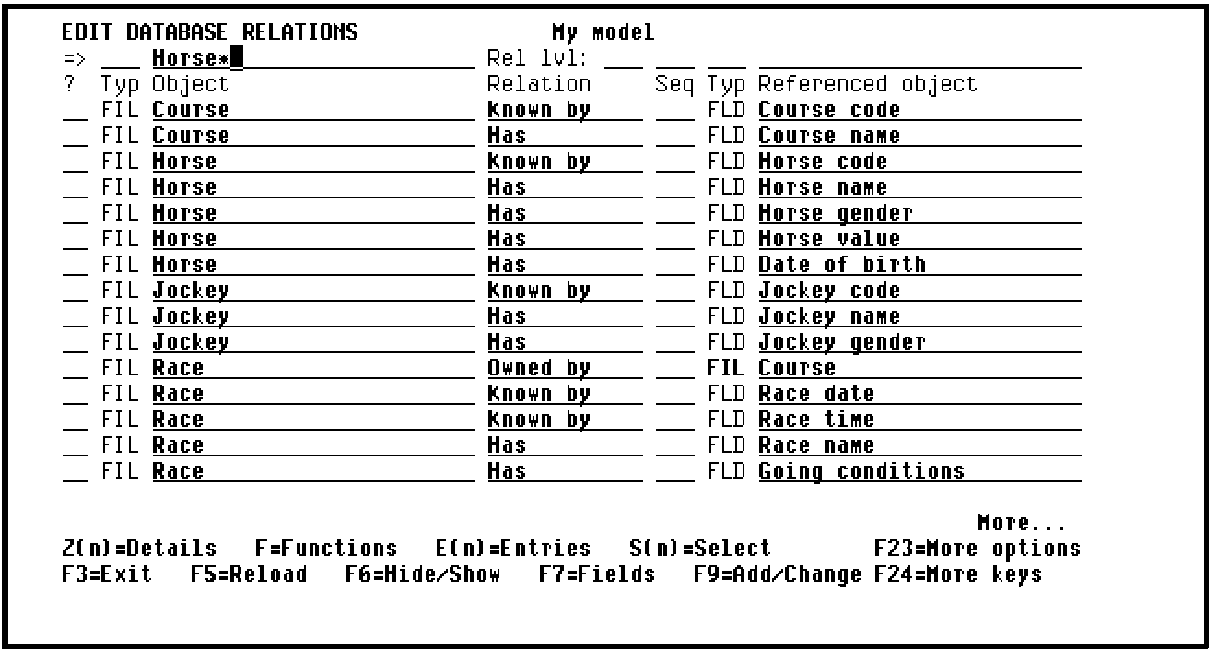
Press Enter.CA 2E displays only those relations that define the HORSE file.
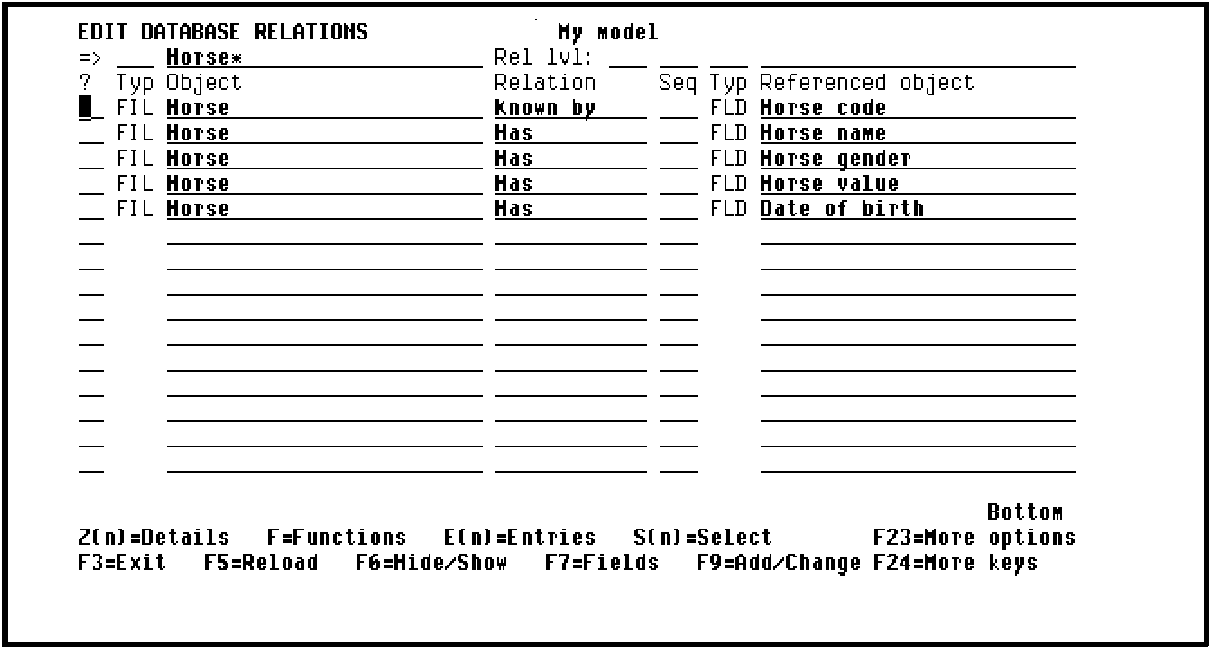
Note: If the selection line is blank, you are returned to the beginning of the CA 2E design model when the panel is reloaded, for example, if you press F5 or Enter.
|
Copyright © 2014 CA Technologies.
All rights reserved.
|
|