

In this case, the Horse gender field of the HORSE file will be used to illustrate conditions. Type Z2 against the HORSE Has Horse gender relation.
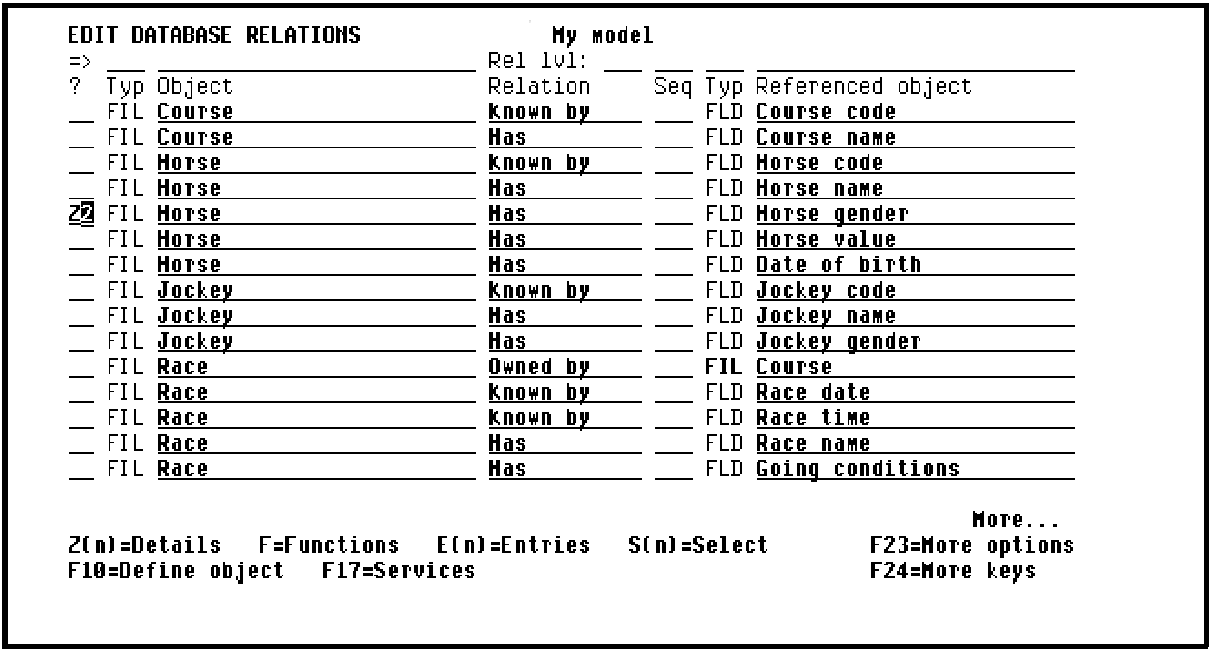
Press Enter to display the Edit Field Details panel for Horse gender.
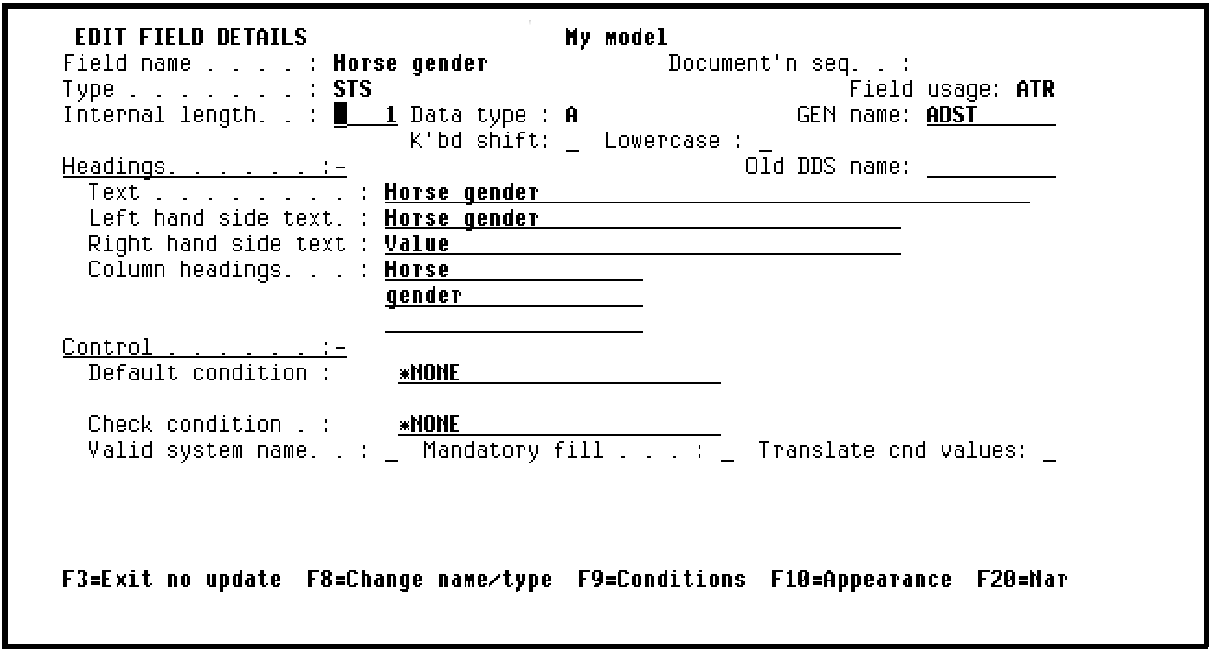
The Edit Field Details panel shows information for the field. Most of the details, for example, field length, default appropriately according to the field’s data type.
It is possible to override the default values if required. We will discuss how to change the field name at a later stage in this tutorial.
|
Copyright © 2014 CA Technologies.
All rights reserved.
|
|