

Using the Define Objects panel, you must specify an object attribute for each new object. You can view a list of the available object attributes by typing ? in the object attribute field. Object attributes enable CA 2E to take design defaults.
In the example, COURSE and RACE are Reference (REF) files.
The data type causes CA 2E to automatically assign default characteristics to a field; for example, length and display format. You can override these defaults later.
In this tutorial you will use the following data types:
CDE—Alphanumeric code field
TXT—Descriptive text
VAL—Monetary value
DT#—ISO date
TM#—ISO time
STS—Status
QTY—Quantity
NBR—Pure numeric field value
Type the object attributes as shown. Use the Tab key or Field Exit key to advance to another field or line.
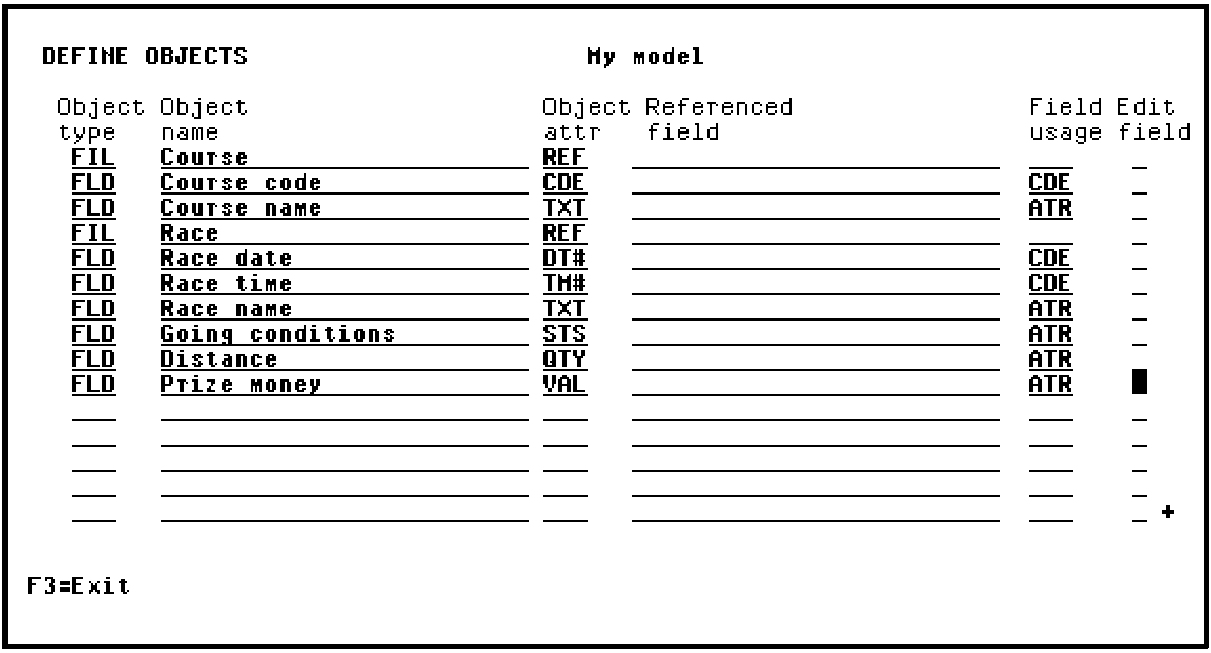
Press Enter when you have typed all object attributes.
If all the object attributes you specified were valid,CA 2E automatically exits the Define Objects panel and returns to the Edit Database Relations panel.
|
Copyright © 2014 CA Technologies.
All rights reserved.
|
|