

Managing Model Objects › Editing Model Object Lists › Subsetting a Model Object List
Subsetting a Model Object List
To display a subset of the model objects in the current list, press F17 from the Edit Model Object List panel. The Subset Model Objects panel displays:
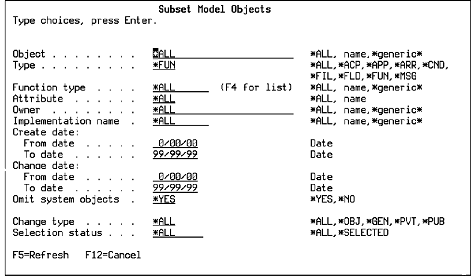
Notes:
- If you are editing *ALLOBJ, you can also specify whether to display non-current versions of functions and messages.
- If you select another model object list, any subsetting you specified is also applied to the new model list.
Copyright © 2014 CA.
All rights reserved.
|
|