

Suppose you want to add model list entries from model list MYMDLLST to model list CUSTOBJ. Enter option 11 for each model object you want added to the CUSTOBJ list. In this example, enter 11 for the Customer file and press F13 to repeat the option to the end of the list. You can either press F4 to prompt the command, or you can enter the MDLLST(CUSTOBJ) parameter on the command line to specify the target list as shown:
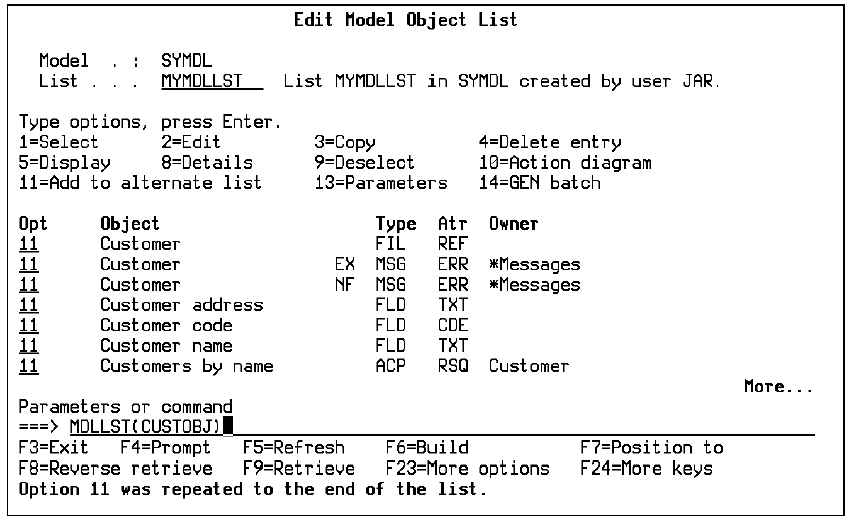
Press Enter. The selected objects are added to the CUSTOBJ model object list.
|
Copyright © 2014 CA.
All rights reserved.
|
|