

You can change the model profile in the following ways if you are authorized to do so:
Suppose you pressed F18 or used the YEDTMDLPRF command. The following panel displays:
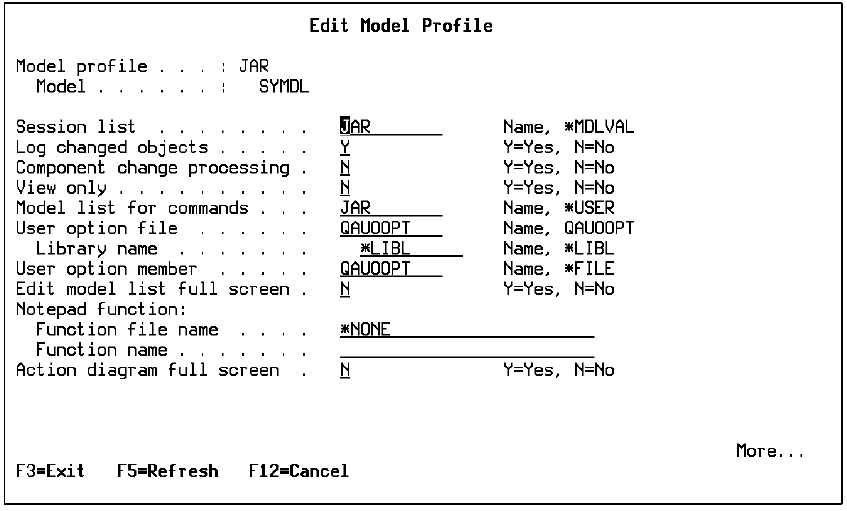
These default settings establish the basic working environment for your interactive session. You can reset these to modify your environment for the current session; for example, to use full screen mode on the Edit Model Object List panel or to access the model in view only mode.
Scroll down to view the second screen of the Edit Model Profile panel containing the Submit Model Create Default Values.
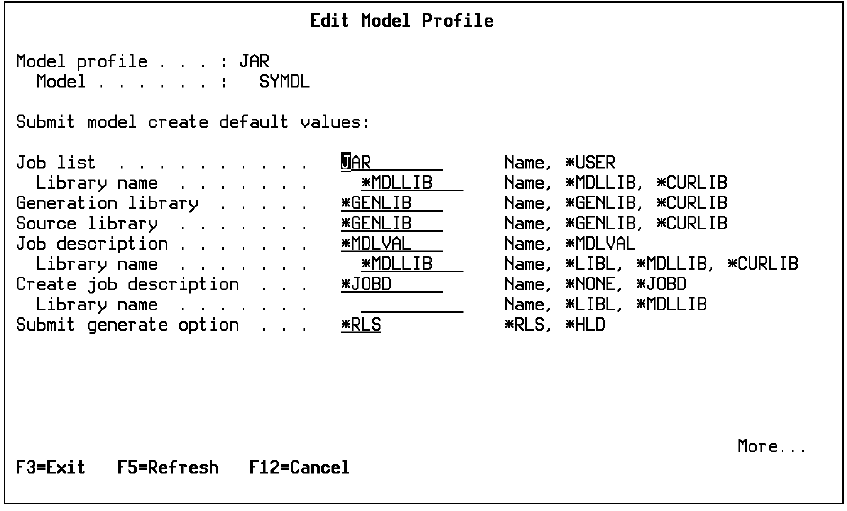
These values establish the default generation and creation environment for the current session and are used to preload job list commands; for example, the Submit Model Create (YSBMMDLCRT) command. In addition to changing values on this screen, you can modify the default values when you invoke the command by specifying other parameter values on the interactive command prompt or on the batch command.
The third screen of the Edit Model Profile panel contains the Submit compilation option and the name of the GUI folder for CA 2E Thin Client.
|
Copyright © 2014 CA.
All rights reserved.
|
|