

Managing Model Objects › Model Object Audit Information › Tracking Changes to Model Objects
Tracking Changes to Model Objects
Whenever you change a model object,CA 2E updates the following information in the model object's description in the All Model Objects list:
- Date and time the object was changed
- User profile of the developer making the change
- Type of change
- Impact processed indicator
To view change information, press F11 on the Edit Model Object List panel until the change information as shown in the following panel displays:
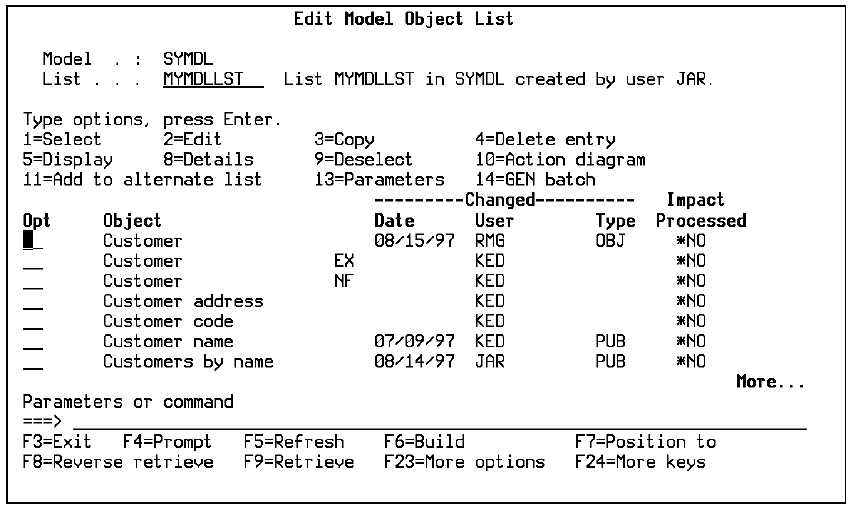
Notes:
- For a named model object list, the Change date is the date the list entry was created and may not reflect the model object's current status. You can use F15 to update the model object list to contain current information from the All Objects list; this invokes the Check a Model Object List (YCHKMDLLST) command.
- A model object is not considered to be changed in the following circumstances:
- The object is accessed as if to edit but no changes are actually made.
- The object has been copied from another model and has not been changed since copying.
Copyright © 2014 CA.
All rights reserved.
|
|