

Versions of the same model object form a version group. Each version in a version group is a unique model object; the term version is used to identify them as being related.
In any group of versions, one and only one of the model objects in the group may be current. The current version is the version that is active in the model; it is the model object that is used by other objects in the model and is the model object that appears on CA 2E editing panels.
If you use CM, each version also has one of the following version types. If you do not use CM, all versions have version type DEV.
All versions in a group have the same Copy name. This value is used to initialize the Copy name stored on the model list that the Copy Model Objects (YCPYMDLOBJ) command uses to copy objects between models. Initially the Copy name for a version group is the same as the name of the original model object. You can change the Copy name for all versions in a group using the Change Model Object Description (YCHGMDLOD) command on any one of the versions. New versions will automatically be given the same Copy name as the other members of the group.
For more information:
The following diagram illustrates basic concepts relating to versions. The original object in this diagram is the Edit Customer function; it has three versions. These four functions comprise the version group for Edit Customer.
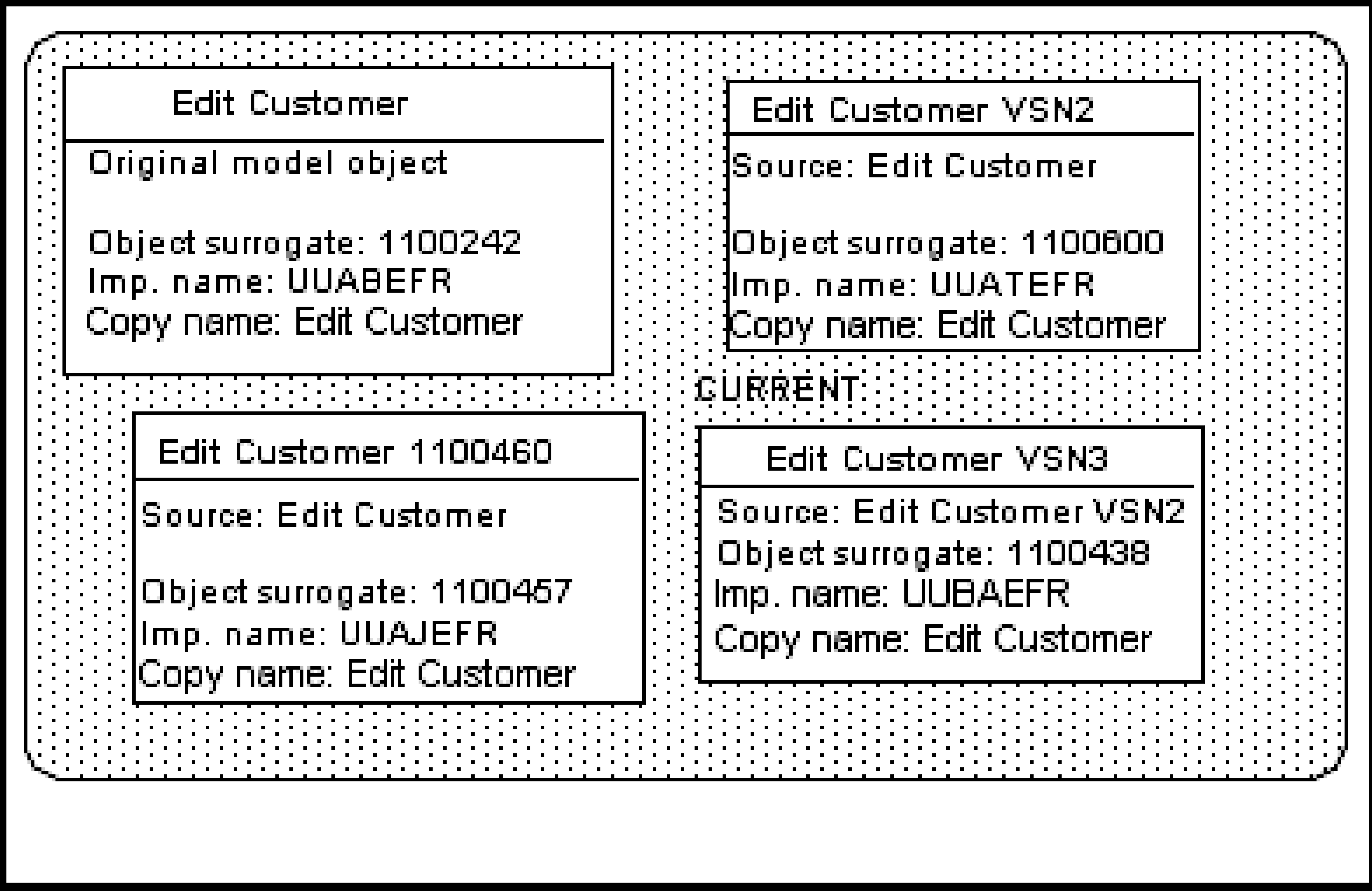
Note the following concepts shown by this diagram:
|
Copyright © 2014 CA.
All rights reserved.
|
|