

Following is an example that illustrates the creation of the real percentage field type (PCX) with external field length calculation.
The example shows the steps required and all the panels involved in the order you would follow to create a user-defined field type in CA 2E.
The percentage data type has different internal and external field lengths, the external field length being determined from the length assigned to the internal version of the field. If the external field length is 5.2, the internal length becomes 5.4 to account for automatic division by 100. A percentage entered or displayed as 45.55, will be stored internally as 0.4555.
The external length calculation is performed by a program which derives its name from the data type. For a data type PCX, a program YPCXLENR1C must exist for this length calculation. Several parameters are required on this function. The figure below shows a generic STR type file in CA 2E, defining what fields are required as parameters to the length calculation program. This STR file should be defined on the Edit Database Relations panel as shown below. The file name contains XXX indicating the values to be substituted for the data type mnemonic.
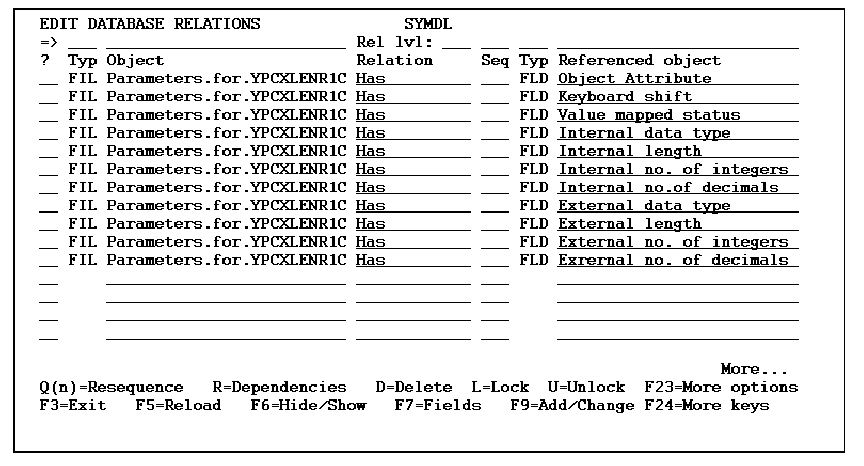
Once you have entered the relations, press F10 to define the file and fields as indicated in the figure that follows.
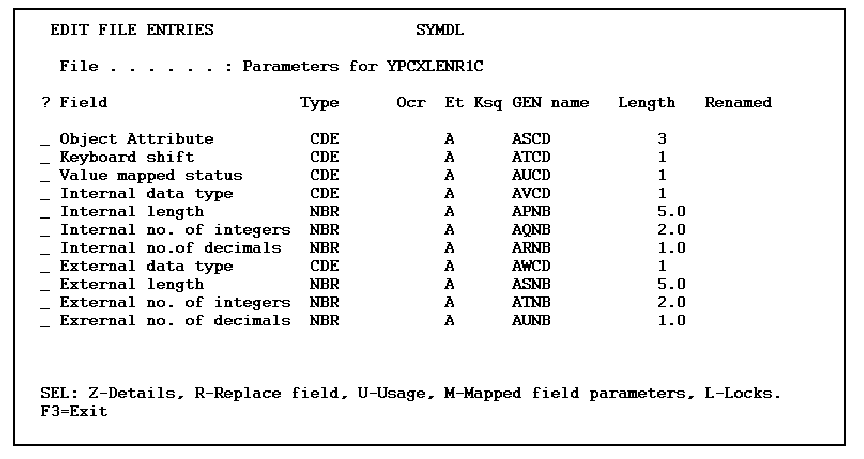
The external fields that are referenced fields are referenced to their internal counterparts.
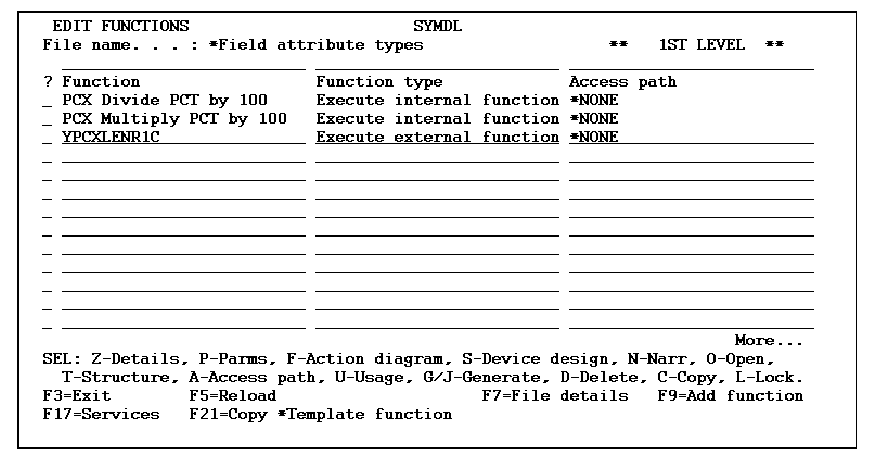
The function to perform the external field length calculation can be attached to the *Field attribute types file. Position the Edit Database Relations panel at this file and go into the functions. Add one of the correct names, in this case YPCXLENR1C, making it of type EXCEXTFUN, as below.
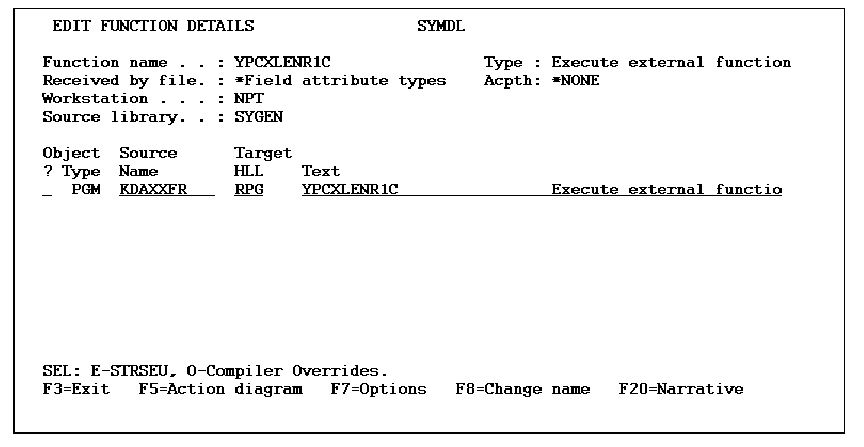
Zoom into the function and change the source member name to that of the desired length calculation program (YPCXLENR1C).
Attach parameters as defined by the structure file below, and give them the usage as indicated.
Attach parameters as defined by the structure file, shown below, and give the usage as indicated.
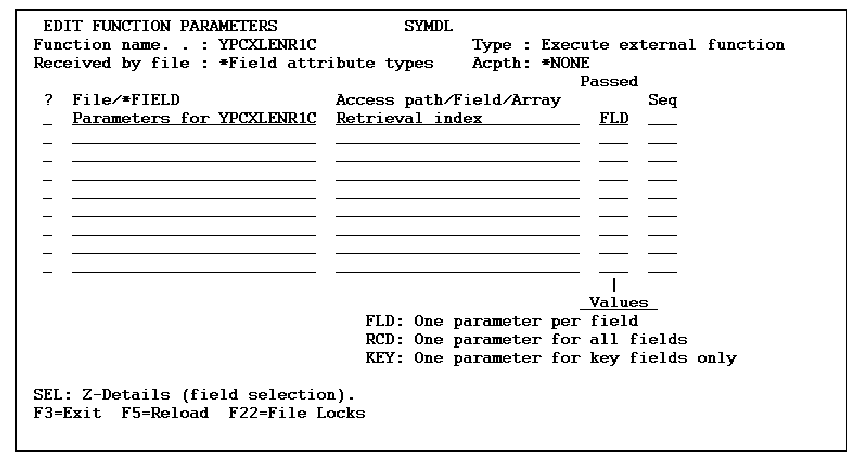
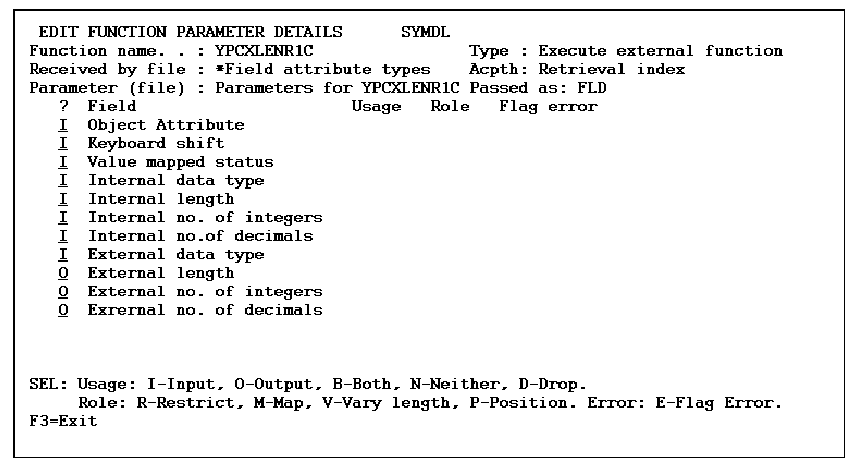
The parameters should all have a usage of I except the External length, External no. of integers and External no. of decimals. These are the parameters that the CA 2E calling function is expecting to be returned.
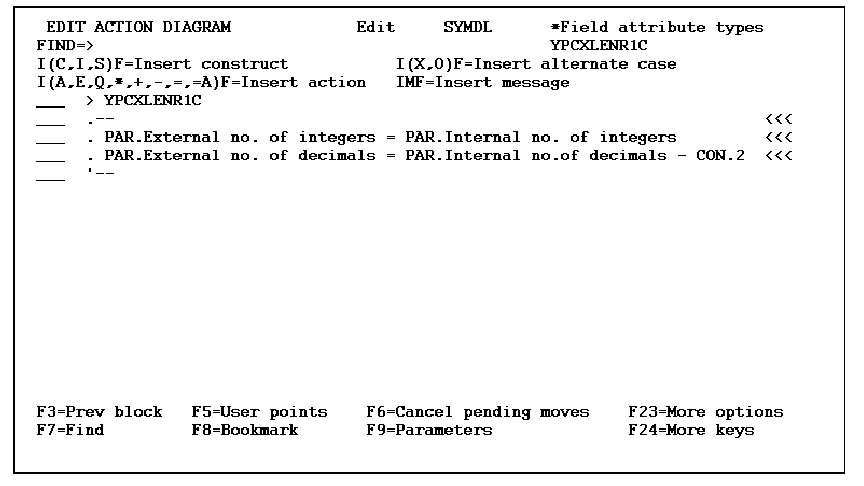
In this simple example, all the length conversion program will do is ensure that the number of decimal places externally is two less than the number internally. Set up the action diagram for the function as below. Then exit and save the function.
Create the Int/Ext and Ext/Int mapping functions now. These should be of type EXCINTFUN. In this case 'PCX Divide PCT by 100' and 'PCX Multiply PCT by 100' have been created for the mapping functions (see previous figure for Edit functions over *Field Attribute type file). Attach parameters to the functions, as indicated below. Defines both the PCX_External field and the PCX_Internal field as NBR type fields. Their lengths are arbitrary.CA 2E will create fields of the appropriate length at function generation time.
|
Copyright © 2014 CA.
All rights reserved.
|
|