

Maintaining Your Data Model › Creating User-Defined Field Types › Specifying Additional Attribute Values
Specifying Additional Attribute Values
Use the Edit Field Type Defaults to specify the default initial values for some additional basic attributes of the field; for instance, field exit options and edit codes. You can obtain this panel in either of two ways:
- For existing field types, enter Z next to the field type on the Display Field Types panel
- Press Enter when defining a new attribute type from the Edit Field Type panel.
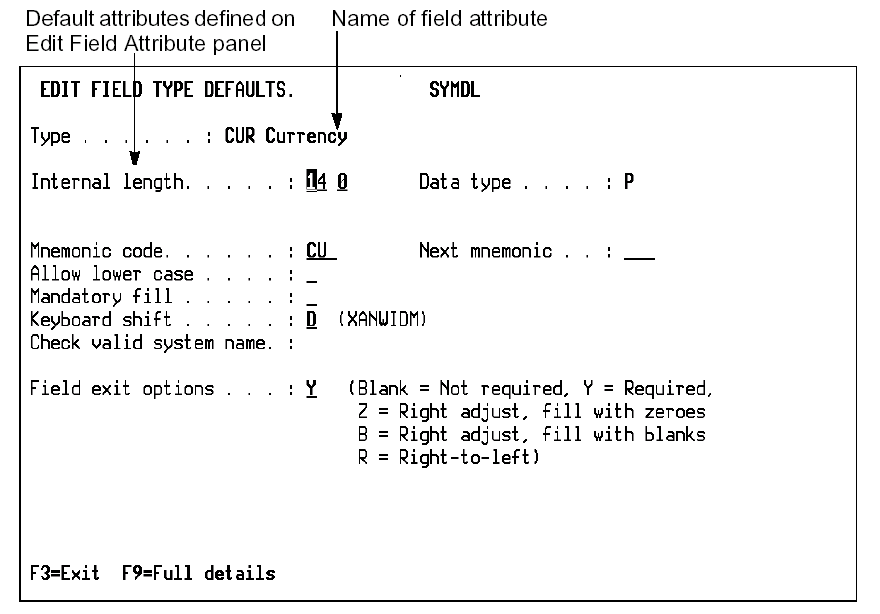
The Edit Field Type Defaults panel allows you to enter and change the following attributes of the field type:
- Internal length
- External length
- Data type
- Mnemonic code
- Keyboard shift
- Lowercase
- Mandatory fill
- Modulus 10/11
- Valid System Name (VNM)
- Field Exit options
- Edit codes
Copyright © 2014 CA.
All rights reserved.
|
|