

CA 2E supplies a default action diagram for each function. In this step you will view and edit the default action diagram for the Edit Horse function.
From the Edit Function panel type F in the Subfile selector for the Edit Horse function.
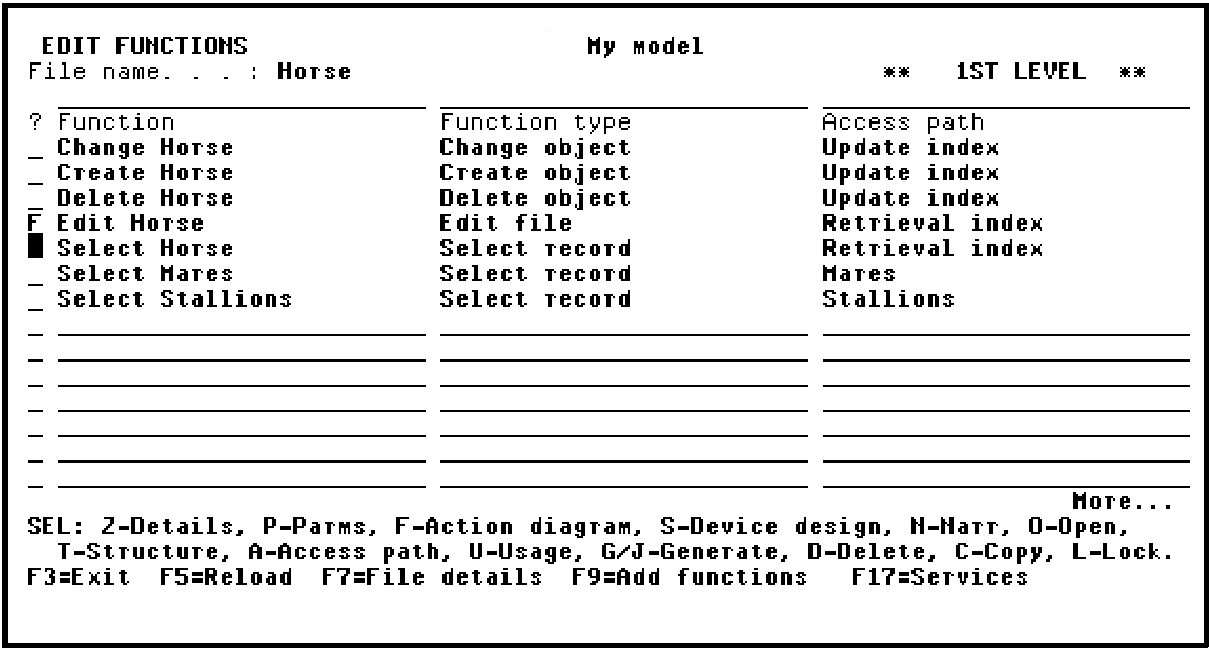
Press Enter to view the action diagram for the Edit Horse function.
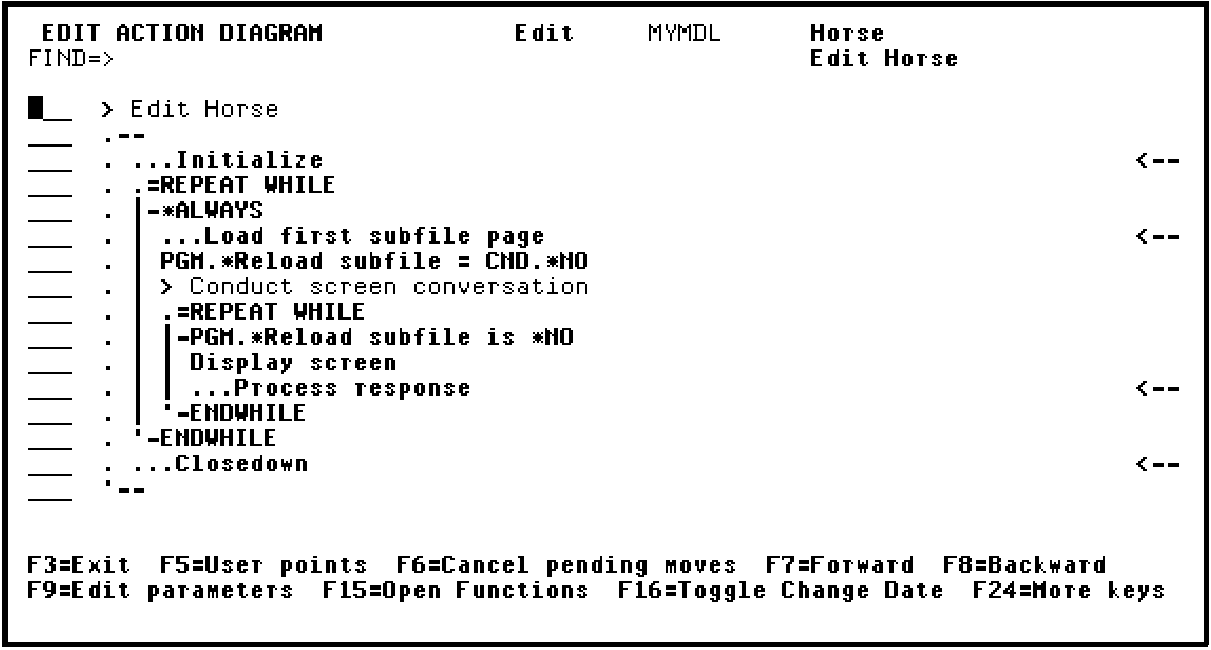
The Action Diagram Editor’s Subfile selector provides options for editing an action diagram, including options for inserting and manipulating user-defined actions. This topic demonstrates many of these options. You can type ? in the Subfile selector to view a list of all allowed values.
|
Copyright © 2014 CA Technologies.
All rights reserved.
|
|