

Design Utilities › Introduction › Using the Design Aids Example
Using the Design Aids Example
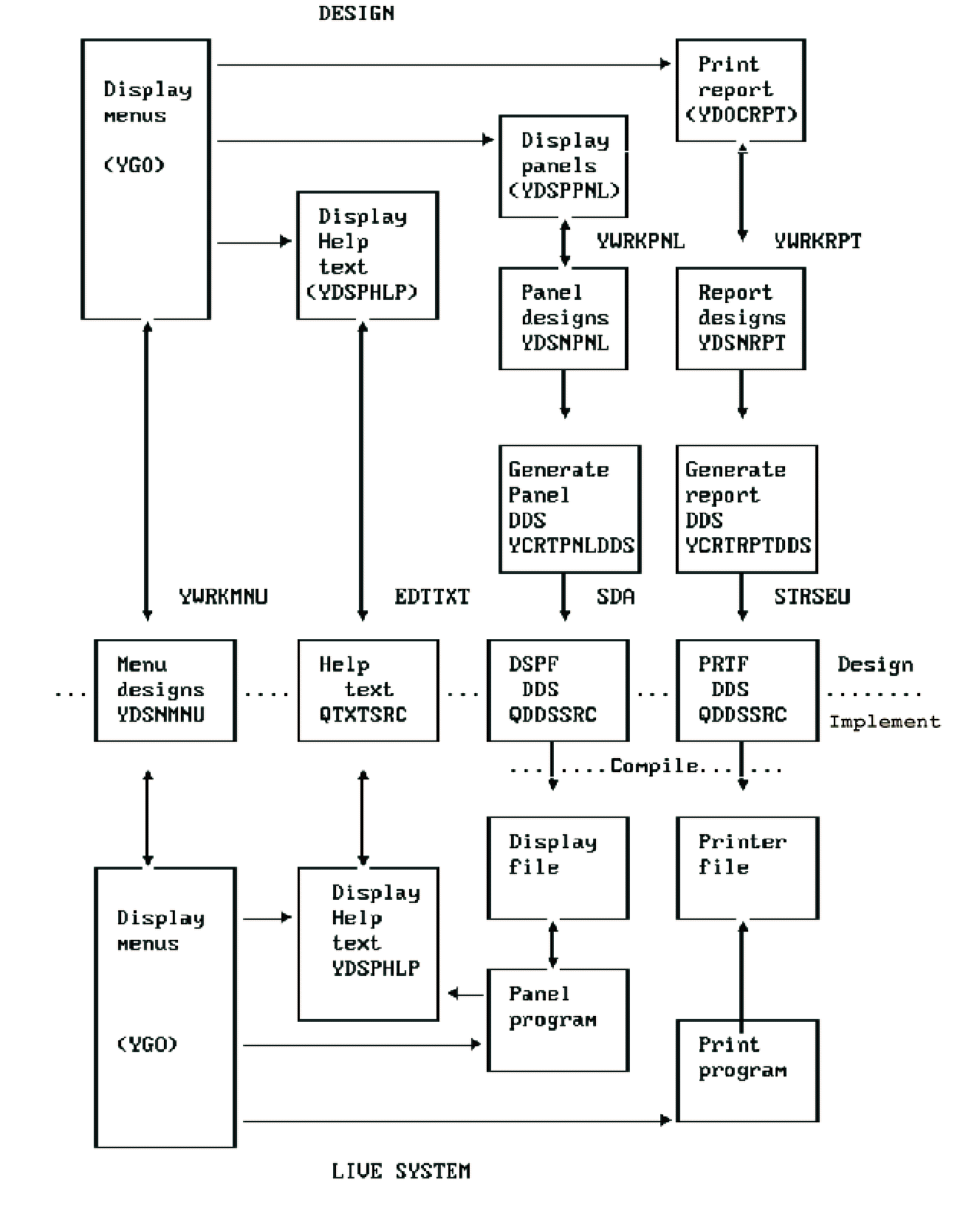
The following are steps and an outline example of how to use the design aids to design a system.
- Design a single menu, using the Toolkit utility Work with Menu (YWRKMNU).
- Refine the menu into three sub-menus. For example:
- If necessary, add a help text to explain the scope of each function.
- For each option, prepare panel designs or report designs using the Toolkit Work with Design utilities YWRKPNL and YWRKRPT.
- Link the panel and report designs into the appropriate menus; for example the Toolkit command Display Panel Design (YDSPPNL) could be specified as a menu option to display a panel design when an option is taken.
After only a few minutes work, you can show a user a realistic simulation of what the system will look like and print a description of that system.
Copyright © 2014 CA.
All rights reserved.
|
|