

CA 2E automatically creates five default functions for each reference file (REF) you declare: two external functions (Edit File and Select Record), and three internal functions (Change Object, Create Object, and Delete Object).
The two external functions CA 2E automatically creates are:
Both of these external functions are interactive device functions.
The three internal functions CA 2E automatically creates are:
These functions are used to update the database and are called by external functions as required. They are implemented as subroutines within the generated source code for an external function. Internal functions are specified separately to give you the capability to add additional processing for updating the database. This additional processing is made available to all the functions that call the internal functions.
The five default functions for a file are created the first time you enter F against the file on the Edit Database Relations panel. For example, to create the default functions for the COURSE file you would do the following:
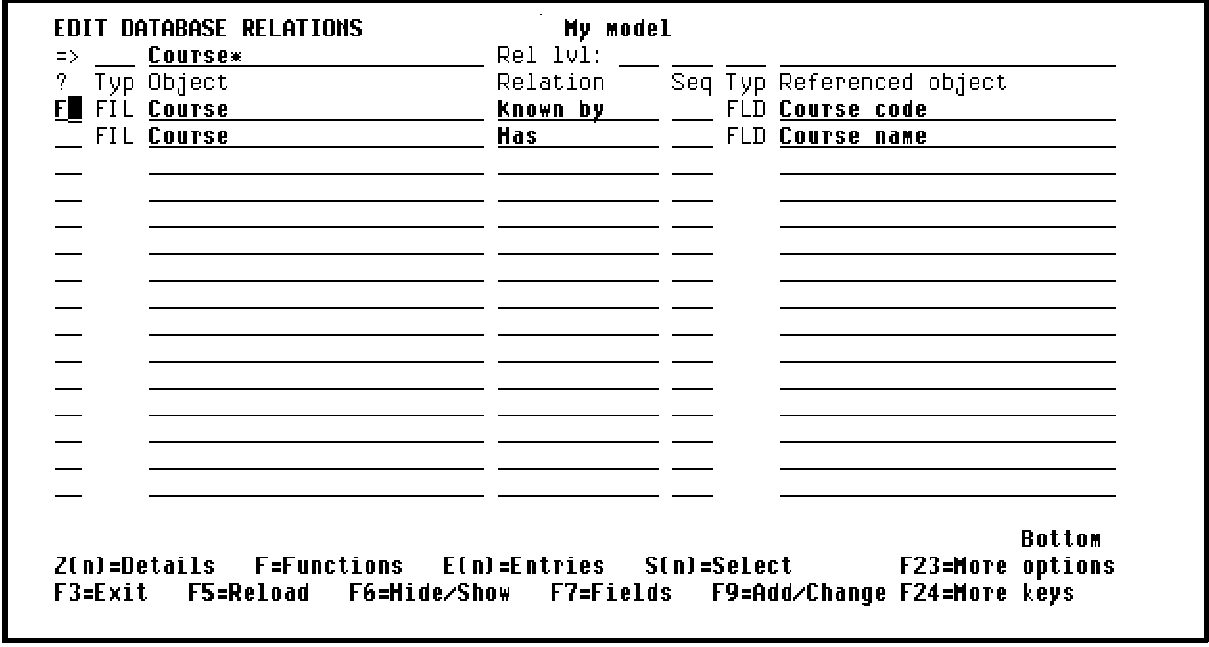
First, display just those relations defined for the COURSE file by entering Course* on the selection line of the Edit Database Relations panel.
Next, display the functions for a particular file by typing F against the file on the Edit Database Relations panel. Enter F next to any COURSE file relation as shown in the following example:
If you press Enter you can view the five default functions for the COURSE file.CA 2E displays messages at the bottom of the panel to indicate this as shown in the following example:
EDIT FUNCTIONS My model
File name. . . : Course ** 1ST LEVEL **
? Function Function type Access path
Change Course Change object Update index
Create Course Create object Update index
Delete Course Delete object Update index
Edit Course Edit file Retrieval index
Select Course Select record Retrieval index
More...
SEL: Z=Details P=Parms F=Action diagram S=Device D=Delete O=Open
T=Structure A=Access path G/J=Generate function H=Generate HTML ...
F3=Exit F5=Reload F7=File details F9=Add functions F23=More options
F11=Next View F17=Services F21=Copy *Template function
|
Copyright © 2014 CA.
All rights reserved.
|
|