

Start the design model facility in one of the following ways:
YSTRY2 LIBLST(MYMDL) MENU(DSNR)
YCHGLIBL MYMDL
YEDTMDL
The Y2 command is a short form of the YEDTMDL command.
YCHGLIBL MYMDL
Y2
YSTRY2 MYMDL
MAIN i OS Main Menu
System: 2EDV1
Select one of the following:
1. User tasks
2. Office tasks
3. General system tasks
4. Files, libraries, and folders
5. Programming
6. Communications
7. Define or change the system
8. Problem handling
9. Display menu
10. Information Assistant options
11. PC Support tasks
90. Sign off
Selection or command
===> ystrv2 mymdl_____________________________________________
______________________________________________________________
F3=Exit F4=Prompt F9=Retrieve F12=Cancel F13=Information Assistant F23=Set initial menu
Enter 1 in the command entry line as shown in the following example to display the CA 2E Designer (*DSNR) menu:
MAIN 2E Main Menu
Level . : 1
System: 2EDV1
Select one of the following:
Design Model 1. Display Designer (*DSNR) menu
2. Display Programmer (*PGMR) menu
3. Display User (*USER) menu
8. Work with Model Object Lists
9. Change to work with another model
Commands 50. 2E commands in alphabetical order
51. Commands to set up or alter a model
52. Commands to copy a model
53. Commands to create an application
54. Commands to document a model
More. . .
Selection or command
===>1_____________________________________________________________
F3=Major Menu F6=Messages F8=Rev retrieve F9=Retrieve F10=Cmd Entry F24=More
Enter 1 in the command entry line as shown in the following illustration to enter your design model for editing:
DSNR 2E Designer (*DSNR) Menu
Level . : 1
System: 2EDV1
Select one of the following:
Enter Model 1. Edit Database Relations
2. Services Menu
3. Edit Default Model Object List
4. Edit Session List (changed objects)
5. Work with Model Objects
6. Load model and display command line
8. Work with Model Object Lists
9. Change to work with another model
Open Access: ? 10. Change Open Access Model Value
Enter with *NO 11. Edit Database Relations
12. Services Menu
More. . .
Selection or command
===> 1 _______________________________________________________________
F3=Major Menu F6=Messages F8=Rev retrieve F9=Retrieve F10=Cmd Entry F24=More
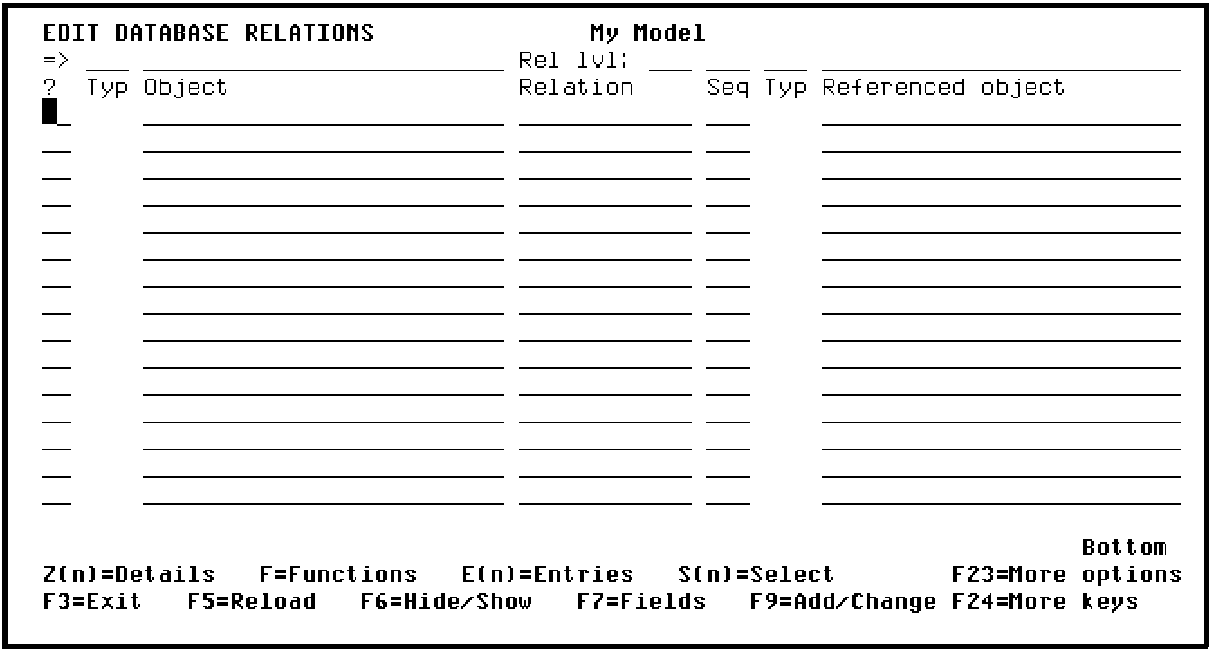
A CA 2E window with the message Starting Advantage 2E Session appears, and then the Edit Database Relations panel displays as shown in the following example:
|
Copyright © 2014 CA.
All rights reserved.
|
|