

Enter the built-in function *COMPUTE or press F7 on the Edit Action Function Details panel to convert an existing arithmetic built-in function to a compute expression. This action causes the Edit Action-Compute Expression panel to display.
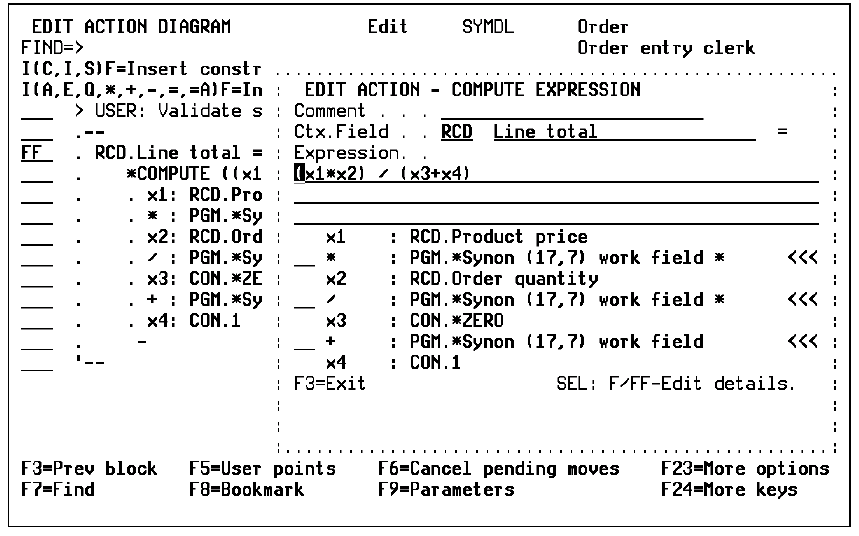
On the Edit Action - Compute Expression panel the *Compute expression appears as an input-capable character field. Specify the arithmetic expression using the correct mathematical formula.
CA 2E writes the correct field contexts and expressions under the compute line. You must then use the F or FF line commands to edit the function name or the function details associated with each pair of terms and operations in the expression.
For more information on the line commands, see the Understanding the Action Diagram Editor topic in this chapter.
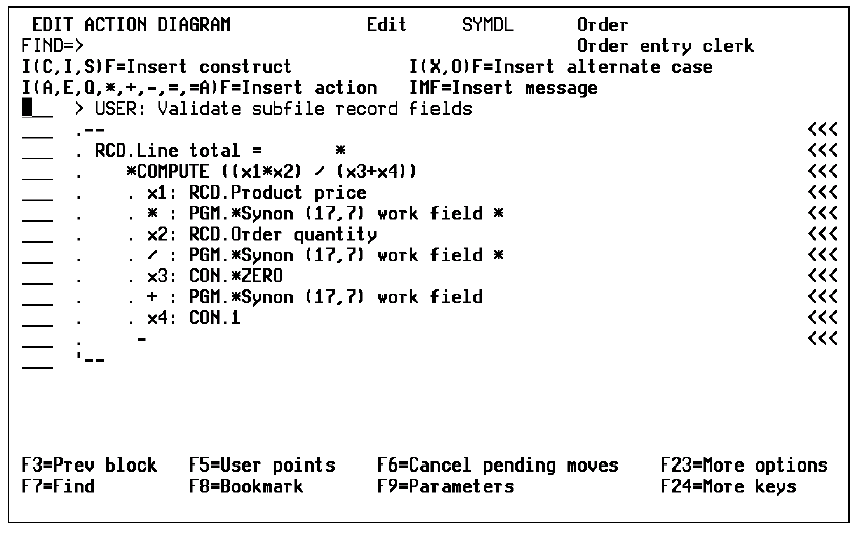
Note: Encapsulating the compute expression in a derived field allows the expression to be easily re-used in several functions.
|
Copyright © 2014 CA.
All rights reserved.
|
|