

|
|
|
A window can range in size from 5 columns by 5 rows, not including the borders, to just less than the full size of the display. When implementing DDS windows, i OS adds two columns on each side of your window and one additional row. The columns protect the display attributes of the underlying panel. The additional row is reserved for i OS system messages. Therefore, the application program window appears slightly larger than when viewed in the panel design.
|
Attribute |
Values |
|---|---|
|
Width |
76 |
|
Depth |
22 |
|
Location |
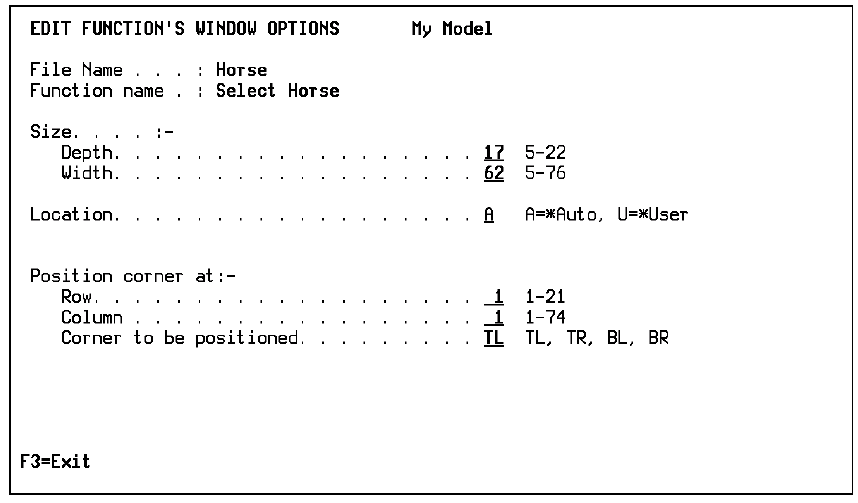
A for Auto (the program automatically places the window). The other option for Location is U (the window location is defined by the programmer). To locate the window, use the Row, Column, and Corner settings. The corner that you specify is placed in the displacement specified from the top left of the screen. |
|
Row |
1 |
|
Column |
1 |
|
Corner |
TL |
In the following example, the window’s displacement is specified by naming the row and column at which a particular corner is to be positioned, for example, top left (TL), top right (TR), bottom left (BL), or bottom right (BR).
Note: You do not see the displacement when editing the device design.
To change the window size and other window features, use the following steps:
The Edit Function’s Windows Options panel appears.
| Copyright © 2011 CA. All rights reserved. | Tell Technical Publications how we can improve this information |