

|
|
|
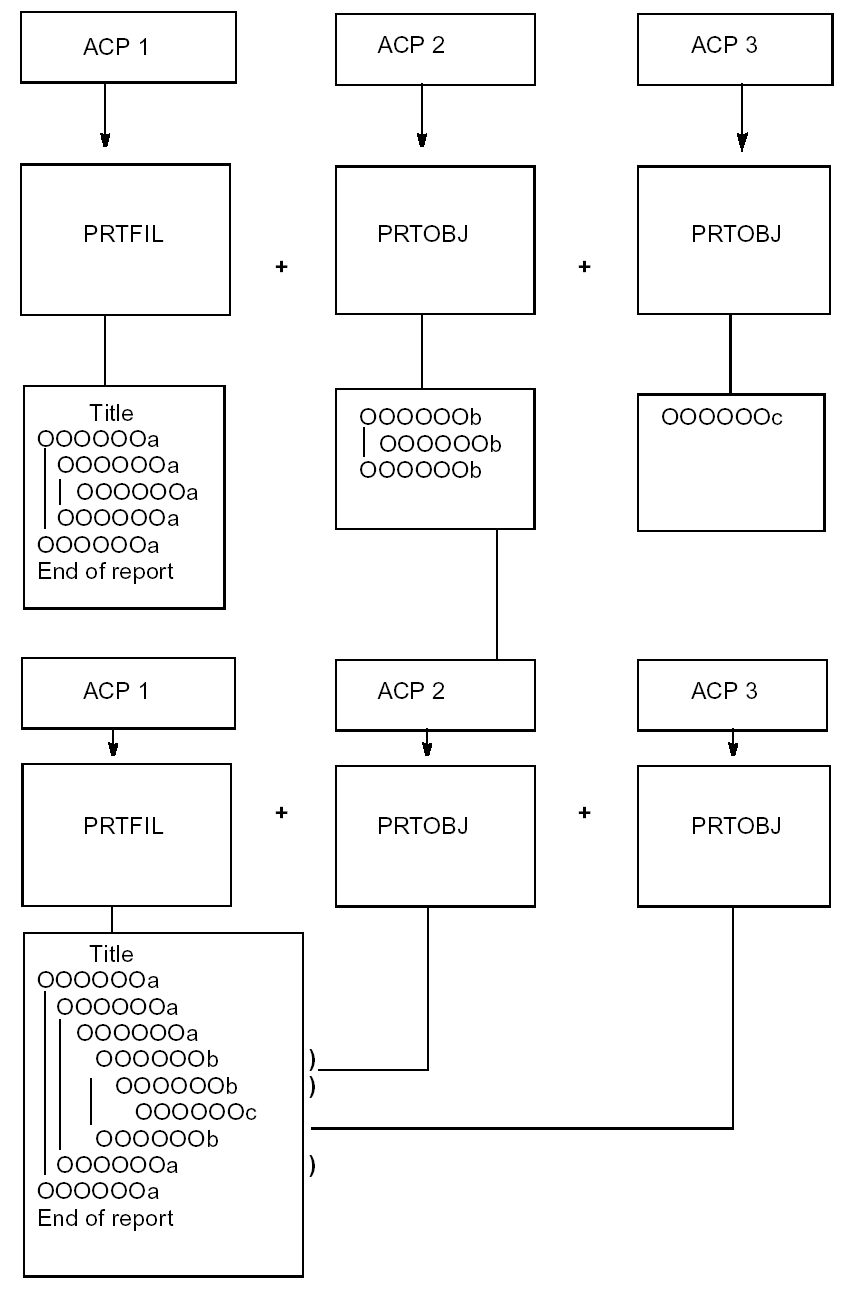
When editing report design structures, such as linking one or more functions or inserting subsidiary PRTOBJ functions, Zoom into the structure of the embedded PRTOBJ. At the Edit Device Structure panel, type Z next to the selected function to zoom into the structure.
Note: When editing the device design of a PRTFIL or PRTOBJ that contains an embedded PRTOBJ, the design of the combined functions displays. Moreover, you can only change the formats and entries of the function itself and not those associated with the embedded functions.
The following example shows an outline of linking report functions.
| Copyright © 2011 CA. All rights reserved. | Tell Technical Publications how we can improve this information |