

|
|
|
After selecting the action diagram statements for the wrapper, you must assign a function name and type.
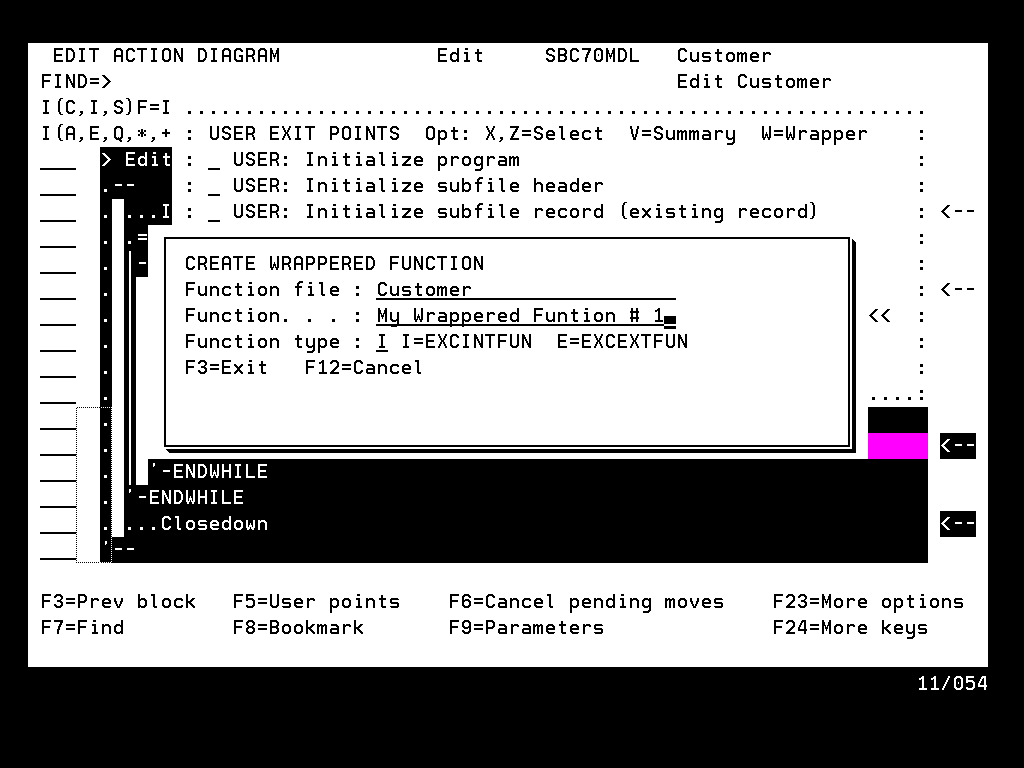
The default values that appear in the Create Wrappered Function panel depend on whether you started the procedure from a User Point or from the Notepad:
The default Function File, which will own the new function, is the same file that owns the function that contained the User Point. The default Function name is the first 25 characters of the User Point name.
The default Function File is ?, therefore you must choose the function name. The default Function name is blank.
In either case, the default Function type is E for EXCEXTFUN, but you can change it to I to create an EXCINTFUN.
The final step is to press Enter. An Execute External Function or Execute Internal Function is created. The selected statements are copied from the Notepad or the User Point into the newly created function.
| Copyright © 2011 CA. All rights reserved. | Tell Technical Publications how we can improve this information |