

|
|
|
The Edit Record (3 panels) (EDTRCD3) function is identical to the Edit Record function except that it allows the record details to extend to three separate display panels. You can use the scroll keys to move between the panels of detail. This function type is suitable for files containing many fields.
The EDTRCD3 function executes in either *ADD or *CHANGE mode. There are four display panels for this function type: a key panel that prompts for the key values and three detail panels that display, by default, all of the fields from the based-on access path. On any panel, you can hide fields that you do not want to appear. In addition, the same field can appear on more than one detail panel.
All of the considerations that apply to the Edit Record function also apply to EDTRCD3.
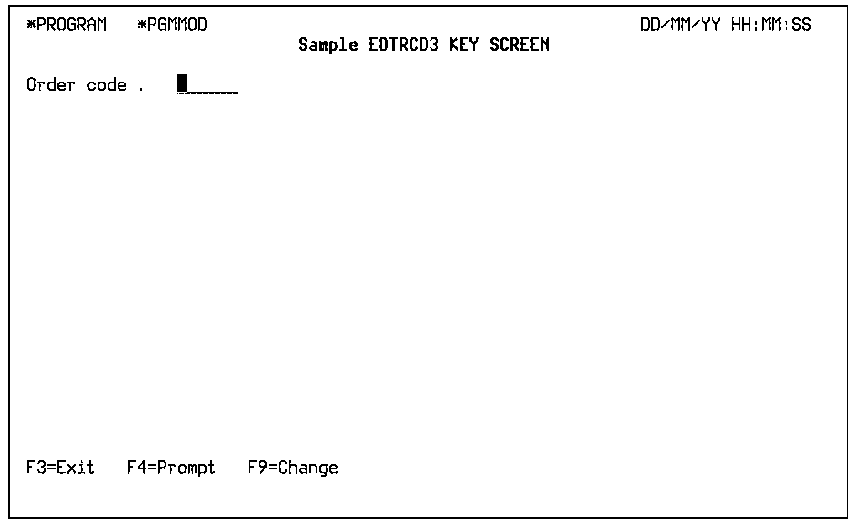
The following is an example of a Detail panel 1.
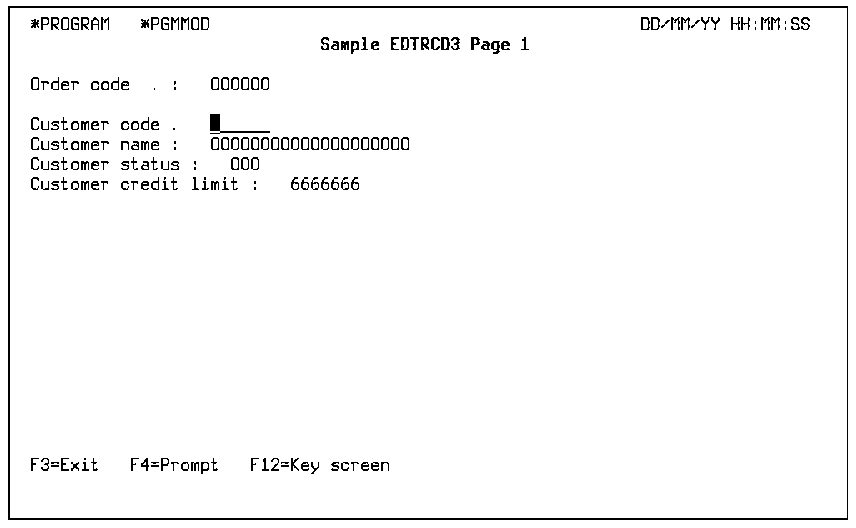
The following is an example of a Detail panel 2.
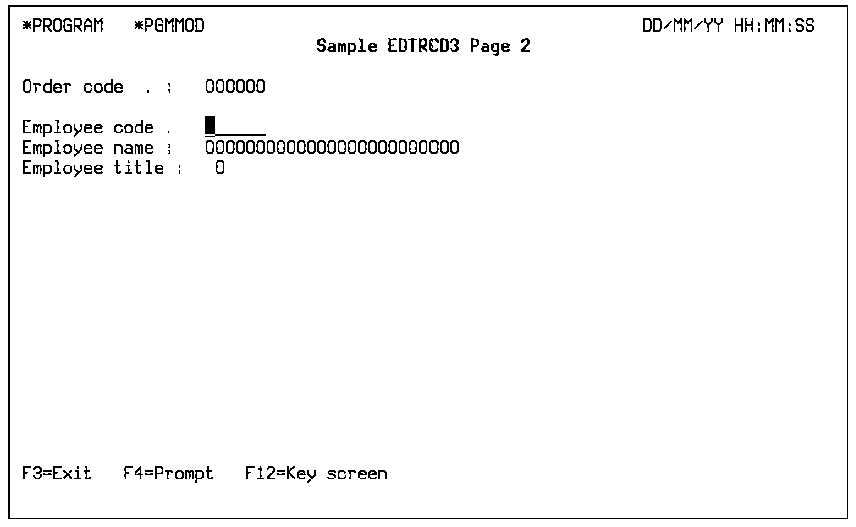
The following is an example of a Detail panel 3.
Note: For more information, see the Knowledge Base article The working and limitations of EDTRCD2, EDTRCD3, DSPRCD2 and DSPRCD3 function types.
The Edit Transaction (EDTTRN) function defines a program that maintains the records on a specified pair of header and detail files. The files must be connected by a file-to-file relation. The relation that connects the files must be an Owned by or a Refers to relation.
The EDTTRN function has two distinct record formats: a header, or master record format that corresponds to the owning or referred to file and is in the subfile control portion of the panel; and a detail record format that corresponds to the owned by, or referring file, and appears as a subfile. The EDTTRN function loads the entire subfile, and is suitable for using SUM, MIN, CNT, and MAX function fields.
The EDTTRN function has the following default function logic:
An EDTTRN function includes calls to the CRTOBJ, DLTOBJ, and CHGOBJ functions by default for both header and detail formats. These default functions are included in the action diagram for the function. To remove this default processing, you change the function options. These functions use the associated Update (UPD) access path update. There can be six separate calls to these internal functions: three calls for the header format file; three calls for the detail format file.
The EDTTRN function must be attached to a Span (SPN) access path. The SPN access path connects two record formats with a common partial key.
In order to be able to create a Span access path:
The typical use of an EDTTRN is to display an Order Header at the top of the panel with a subfile of the associated Order Detail below.
The EDTTRN function differs from the EDTFIL function in that the EDTTRN function loads an entire subfile. The EDTFIL function only loads one page of a subfile at a time.
The following is an example of an Edit Transaction panel.
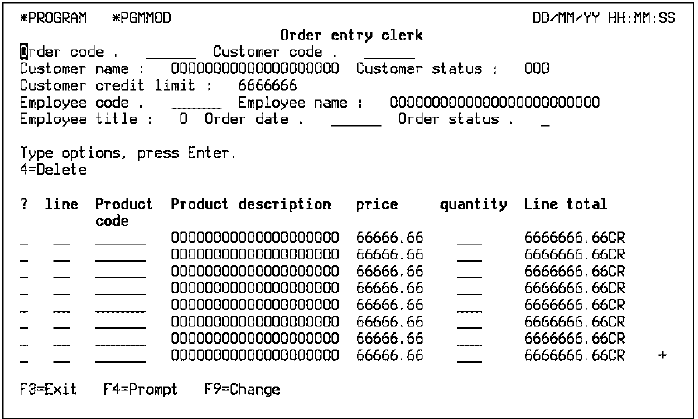
The following table shows the parameters available.
|
Parameters |
Usage |
Role |
Default |
Option |
|---|---|---|---|---|
|
Return Code |
B |
- |
Y |
R |
|
Part/fully restricted key hdr key |
I |
RST |
- |
O |
|
Other fields |
Any |
-/MAP |
- |
O |
The following table shows the function options available.
|
Options |
Default Value |
Other Values |
|---|---|---|
|
Create transaction |
Y |
N |
|
Change transaction |
Y |
N |
|
Create record |
Y |
N |
|
Delete record |
Y |
N |
|
Delete transaction |
Y |
N |
|
Dynamic program mode |
N |
Y |
|
Subfile selection |
Y |
Y, N |
|
Subfile end |
M(YSFLEND) |
P, T |
|
Send all error messages |
M(YSNDMSG) |
Y, N |
|
Confirm prompt |
Y |
N |
|
Confirm initial value |
M(YCNFVAL) |
Y, N |
|
If action bar, what type? |
M(YABRNPT) |
A, D |
|
Commit control |
N(*NONE) |
M(*MASTER), S(*SLAVE) |
|
Generate error routine |
M(YERRRTN) |
Y, N |
|
Reclaim resources |
N |
Y |
|
Closedown program |
N |
Y |
|
Copy back messages |
M(YCPYMSG) |
Y, N |
|
Generation mode |
A |
D, S, M |
|
Screen text constants |
M(YPMTGEN) |
L, I |
|
Generate help |
M(YGENP) |
Y, N, O |
|
Help type for NPT |
M(YNPTHLP) |
T, U |
|
Workstation implementation |
M(YWSNGEN) |
N(NPT), G(GUI), J(JAVA), V(VB) |
|
Distributed file I/O control |
M(YDSTFIO) |
S, U, N |
For more information on function options, see the chapter "Setting Default Options for Your Functions."
Automatic Line Numbering
A common requirement when using Edit Transaction functions is to have line numbers for the subfile records issued automatically.
For example, Order and Order Line files could be defined as follows:
FIL	Order		CPT	Known by  	FLD	Order		CDE
FIL	Order		CPT	Has		FLD	Order date	DTE
FIL	Order line	CPT	Owned by	FIL	Order		CPT
FIL	Order line	CPT	Known by	FLD	Order date	DTE
FIL	Order line	CPT	Refers to	FIL	Product		REF
FIL	Order line	CPT	Has 		FLD	Order quantity	QTY
If an EDTTRN type function called Edit Order is created over the Order and Order Line Files, you might want the order line numbers issued automatically. This can be done as follows:
For more information on user points, see the chapter "Modifying Action Diagrams."
| Copyright © 2011 CA. All rights reserved. | Tell Technical Publications how we can improve this information |