

|
|
|
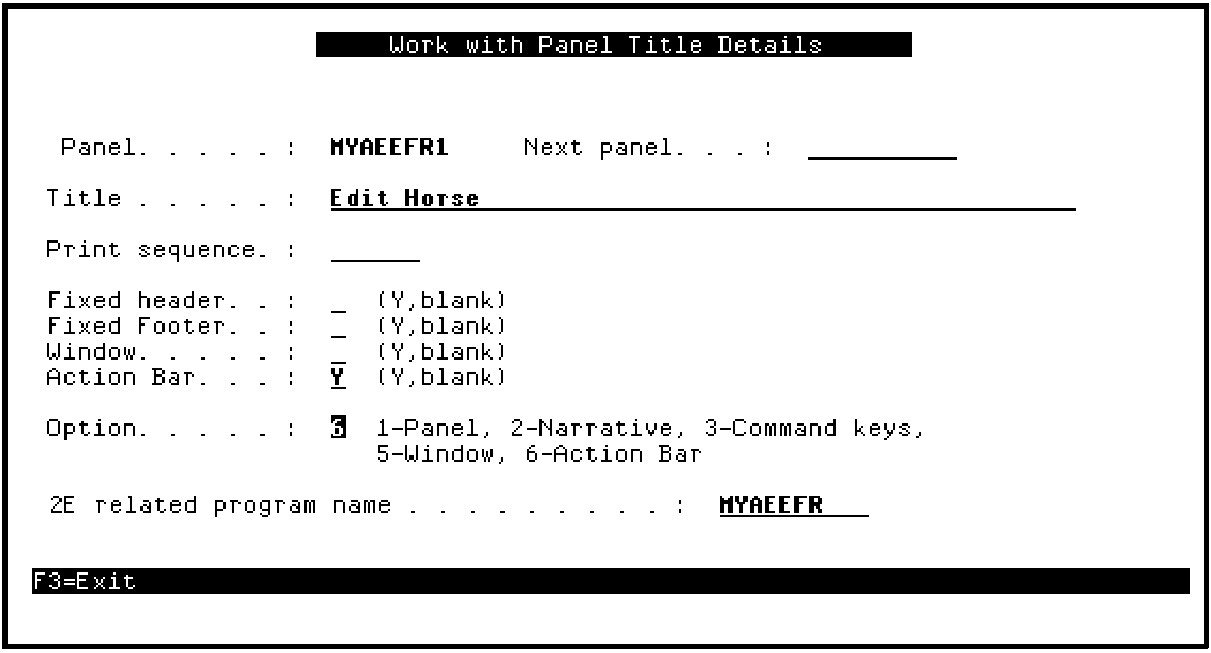
You need to change the action bar navigation so the Display Racing results Toolkit panel design displays when you select it from the Selector Choice menu on the Edit Horse panel design. Type 6 in the Option field to set up the action bar navigation.
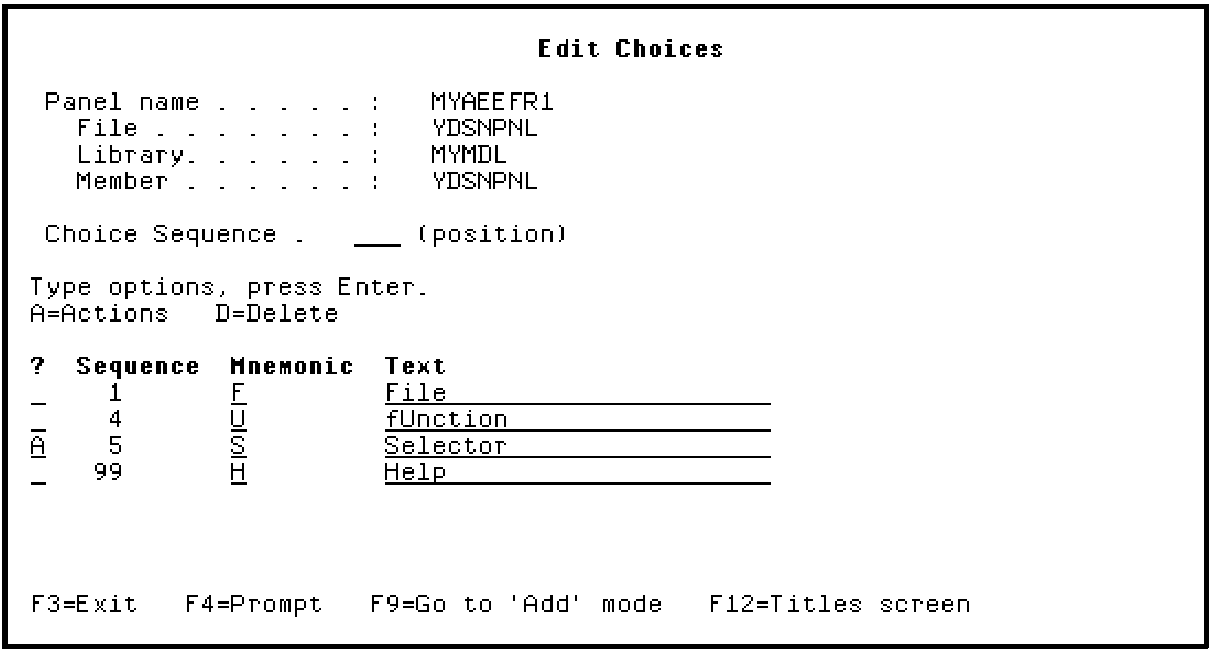
The Toolkit Edit Choices panel shows the action bar choices that were defined on the CA 2E device design. You need to edit actions for the Selector Choice menu.
Type A to edit the actions for the Selector Choice menu.
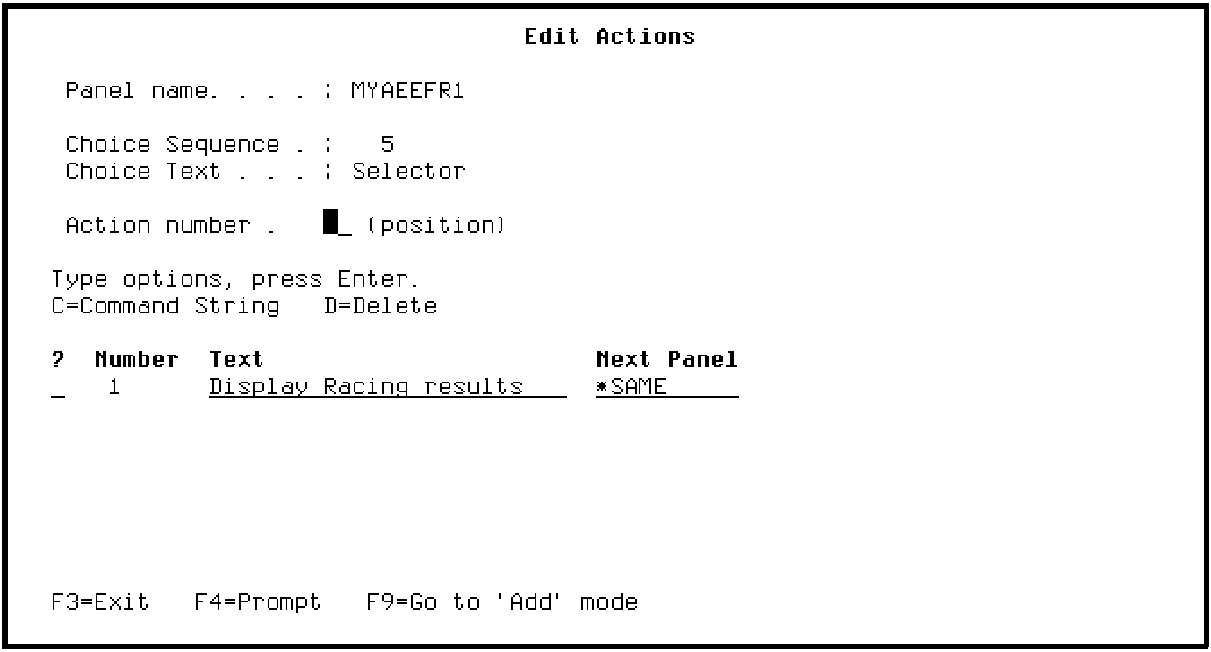
Press Enter to display the Toolkit Edit Actions panel.
Note that the Next Panel column contains *SAME. This means that, by default, if you select Display Racing results from the action bar while simulating your program, the Edit Horse panel would be displayed again. Instead, you want to display the Toolkit panel design for the Display Racing results function.
Type the name of the Toolkit panel design assigned to the Display Racing results function in the Next Panel column as shown. By default, this is the CA 2E program implementation name followed by a 1; in this example, MYALDFR1 or type ? for a selection list of Toolkit panel designs.
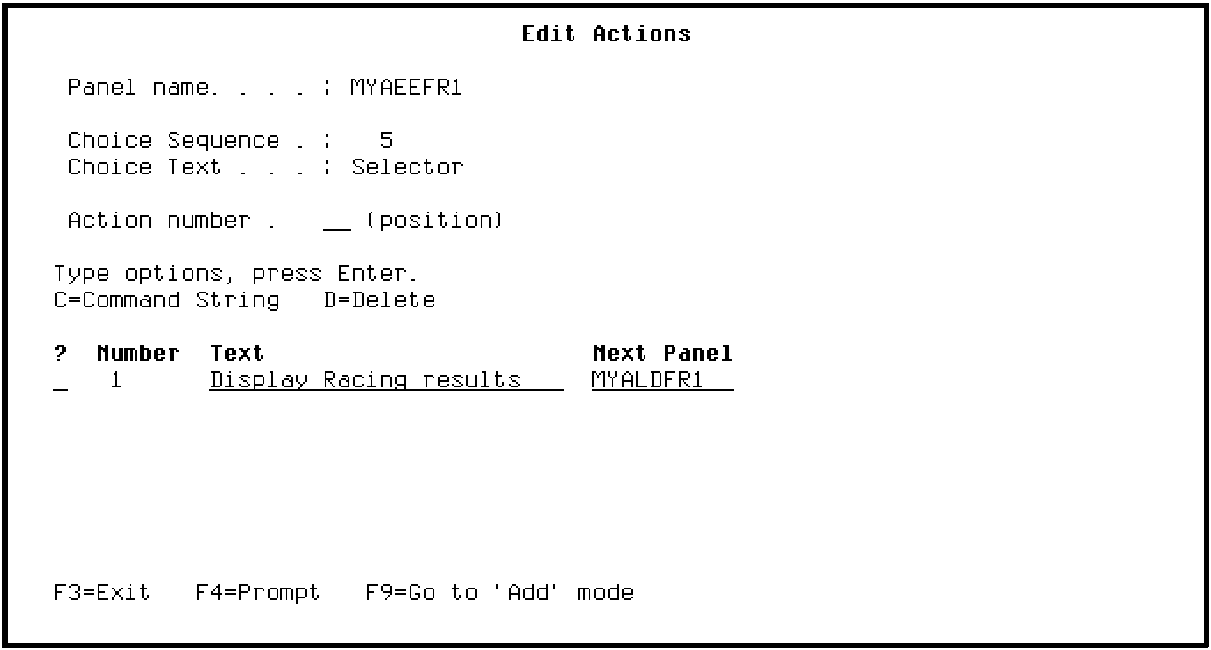
Press Enter to confirm the change. Press F3 to return to the Edit Choices menu.
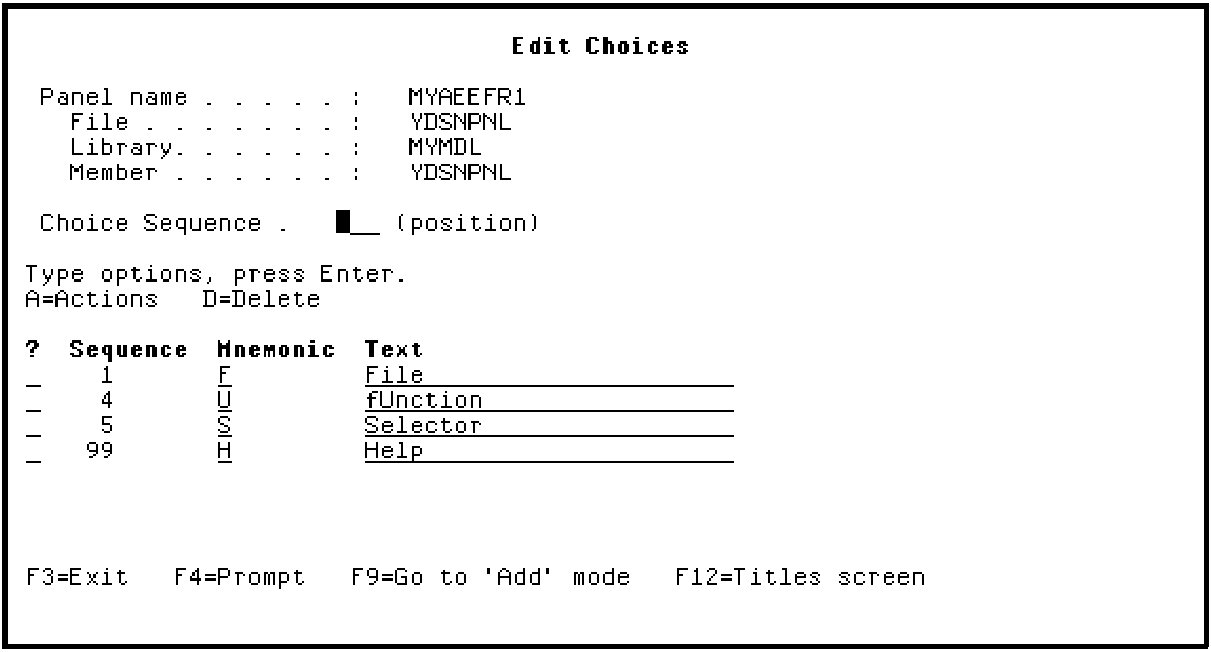
Press F3 to exit.
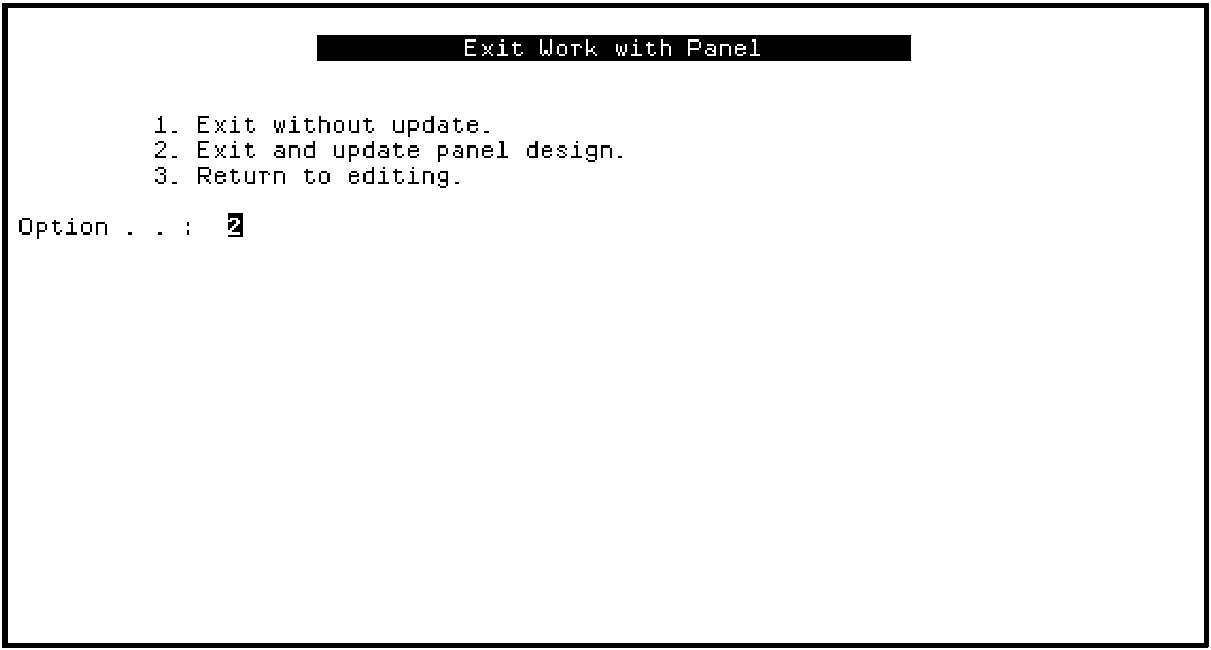
Press Enter to exit and update the Toolkit panel design.
| Copyright © 2011 CA. All rights reserved. | Tell Technical Publications how we can improve this information |