

|
|
|
In this step you will set up the command key and action bar navigation for the Edit Horse function so you can simulate the link between the Edit Horse and the Display Racing results functions using Toolkit.
Type A in the Subfile selector to animate the Edit Horse function.
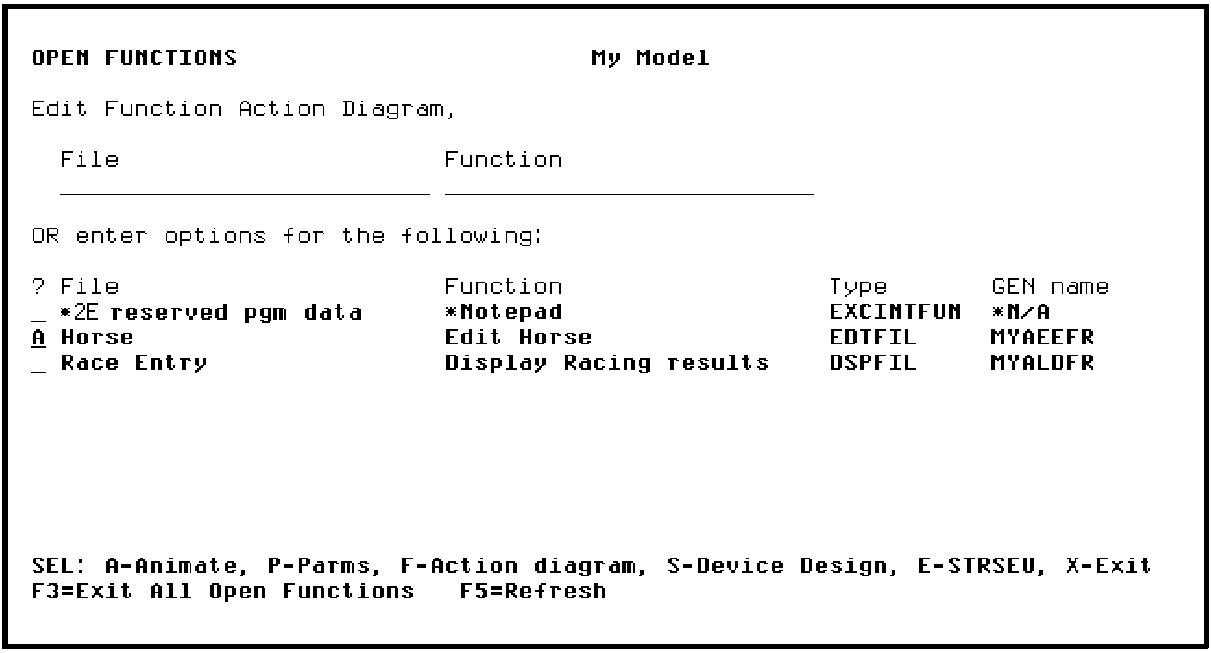
Press Enter.
Because you have already converted this panel design, including the command key and action bar navigation, you can change the value of the Convert Model Panel to N.
Type N for Convert Model Panel and change the Display Option to 4 (WRKPNL) to work with the Toolkit panel design.
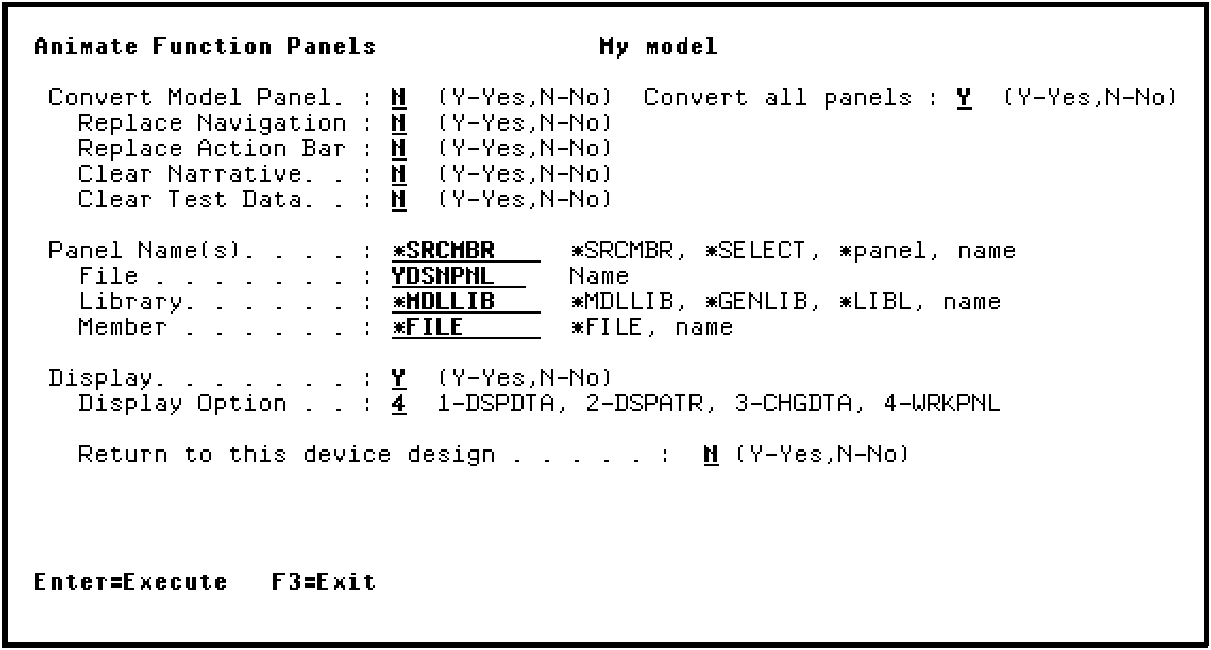
Press Enter.
| Copyright © 2011 CA. All rights reserved. | Tell Technical Publications how we can improve this information |