

|
|
|
Use the DDS CHECK(RL) keyword to make the cursor move right to left within a field. It also defaults the keyboard shift to the alternative (for example, Hebrew) alphabet. Literals should appear on the right of the fields that they describe. For a full conversion, you should reverse the whole display layout and the overall cursor movement should be right to left and top to bottom—the DDS file level keyword CHECK(RLTB) specifies this. You will also need to position the cursor explicitly at the top right hand field of the panel when you first display it.
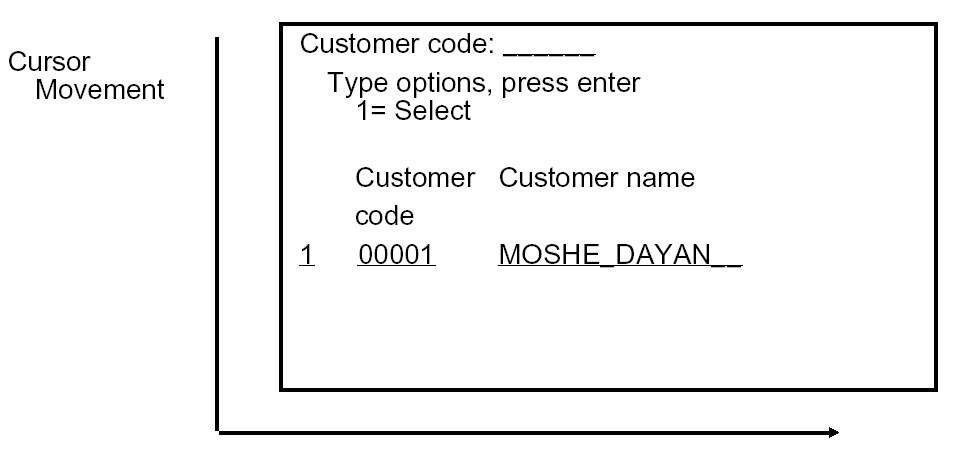
A display which appears such as the following in English:
Should appear as follows in a bi-directional language:
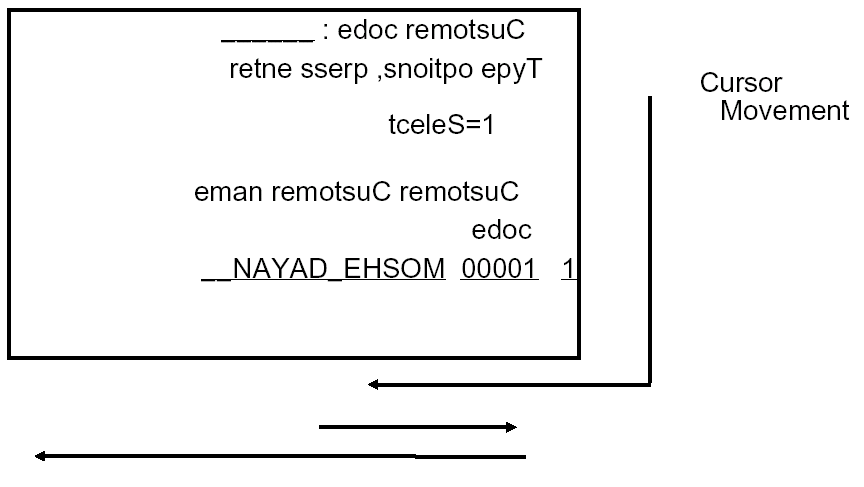
Reversing the fields like this requires an alternative set of DDS source and recompiling all programs which use the revised display files.
| Copyright © 2011 CA. All rights reserved. | Tell Technical Publications how we can improve this information |