

|
|
|
The CA 2E Send Error Message (SNDERRMSG) function is used to send an error message to the message queue of the calling program. An error message indicates that an error occurred arising from validation of user-entered data.
The SNDERRMSG function causes a message to be sent to the program message queue of the program that calls the SNDERRMSG function. All standard functions have message queue subfiles and display messages at the bottom of the panel.
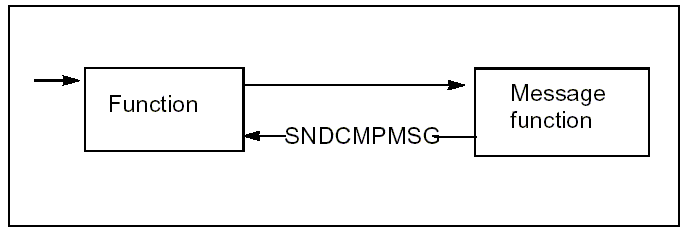
The SNDERRMSG function is attached to a CA 2E shipped file called *Messages.
When you call a SNDERRMSG function, you can use any input-capable fields that you defined as input parameters, as message substitution data. These parameter fields do not need to appear in the text of the message.
When you call a SNDERRMSG function, input-capable fields on your function’s device design, which you defined as Input or Neither parameters to the SNDERRMSG function, appear highlighted and in reverse image unless Flag Error is set to N on the Edit Function Parameter Details panel for the device function. The cursor is positioned at the first error field, unless overridden by the *SET CURSOR function. The program does not proceed past the validation subroutine until you correct the error.
When you call a SNDERRMSG function, the program encounters more than one error, all input-capable fields in error are highlighted. Depending on what you specified for the function option Send All Error Message, the program sends only the first error or all errors.
Consider the following example. If you have a device function that requires a calculated total value to be checked against an entered total value, and an error message sent if these totals do not agree, you would do this by:
Defining an error message.
Modifying the action diagram of the device function to call the SNDERRMSG function in the appropriate circumstances as shown next.
> USER: Validate totals
: - -
:  .-CASE                                                                 <<<
:  | -CTL. Calculated total NE CTL. Entered total                         <<<
:  | Send error message - do not agree'                                   <<<
:  '-ENDCASE
'- -
The device function repeatedly redisplays the fields until the error is corrected.
| Copyright © 2011 CA. All rights reserved. | Tell Technical Publications how we can improve this information |