

You can use this procedure to confirm that the deployment is complete.
Note: A deployment is not completed until it is confirmed. After it is confirmed, the deployment moves to the Completed deployment list.
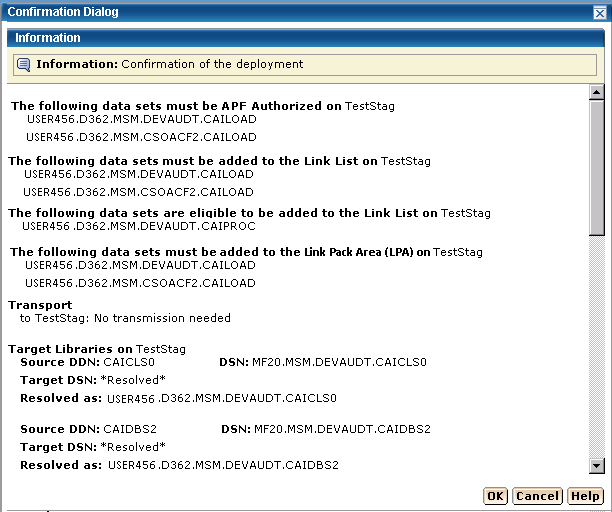
Important! Data sets may need to be APF-authorized and added to the Link List and Link Pack Area. These data sets are identified in this dialog.
Follow these steps:
The Deployment page appears.
The Confirmation dialog appears.
Note: Click Cancel to exit this procedure without confirming.
The Deployment Summary window may contain the following:
The following example shows the Data Sets actions, Transport, and Target libraries information.
|
Copyright © 2013 CA.
All rights reserved.
|
|