

Administration Guide › Managing Virtual Environments › VMware vSphere and vCenter Server › How to Configure the vCenter Server Management Components › Add a New vCenter Server Connection to the Manager › Troubleshoot the vCenter Server Connection
Troubleshoot the vCenter Server Connection
The vCenter Server connection has failed. Follow the troubleshooting information indicated in the following diagram:
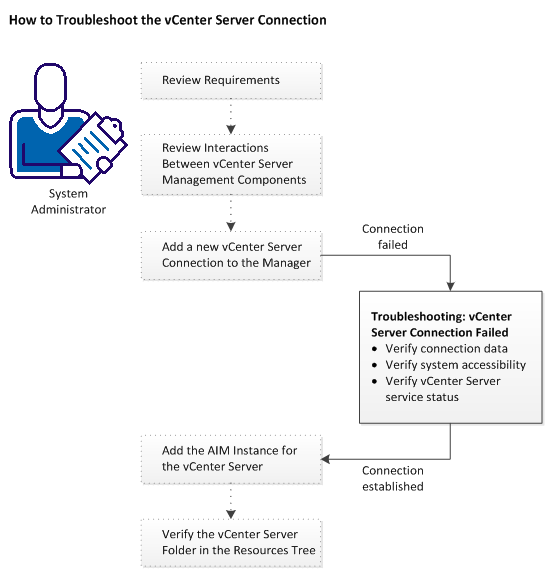
Follow these steps:
Verify the vCenter Server Folder Appearance in the Resources Tree
vCenter Server Connection Failed
Add the AIM Instance for the vCenter Server
Copyright © 2015 CA Technologies.
All rights reserved.
|
|