

|
|
|
You can use the Process Groups page to remove existing servers assigned to a group.
To remove servers from a group
The Home page appears.
The Admin page appears.
The Process Groups page appears.
The list of servers assigned to the selected group is displayed.
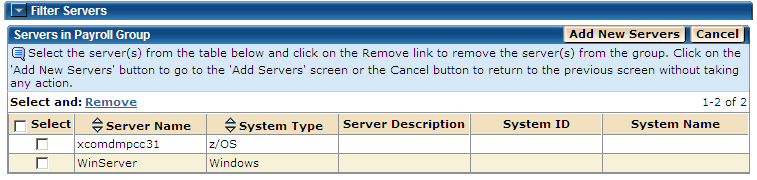
A Remove Servers confirmation dialog opens.
Note: Click Cancel on this page to cancel the process and return to the previous page.
The selected servers are removed from the selected group.
Note: You can click Cancel instead to cancel the remove process.
| Copyright © 2011 CA. All rights reserved. | Tell Technical Publications how we can improve this information |