

|
|
|
When you have created and edited your Policy Transfer XML, you need to copy and import it.
To copy and import your Policy Transfer XML
The Process Policies page appears.

The Edit Policy page appears.
Example
In this example, the Policy Transfer XML has been copied into the User Uploaded Files section.
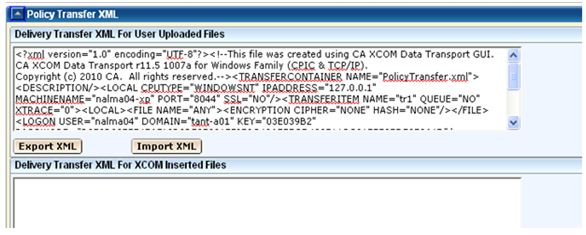
Your CA XCOM Gateway Delivery Transfer XML is now configured.
| Copyright © 2011 CA. All rights reserved. | Tell Technical Publications how we can improve this information |