

|
|
|
You can use the Process Users page to display configured users of CA XCOM Gateway.
To display configured users
The Home page appears.
The Admin page appears.
The Process Users page appears.
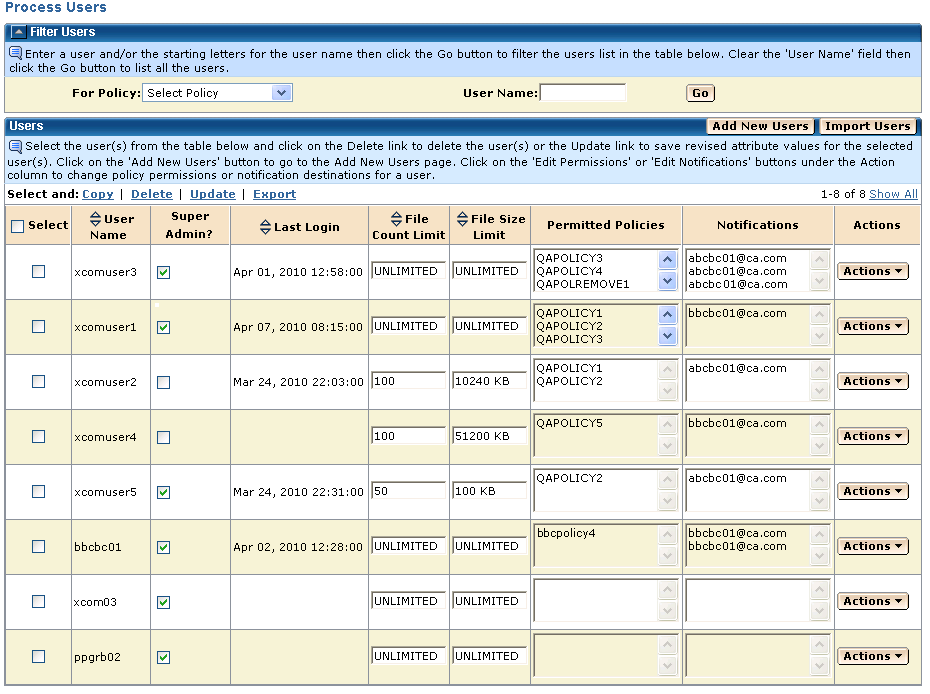
When information for all configured users cannot be accommodated on a single screen, table rows are normally displayed one page at a time. Page information is shown at the top right of the table, indicating the rows presently displayed and the total number of rows. You can click the paging links in this area to display different pages, or you can click Show All to display all rows on a single page.
| Copyright © 2011 CA. All rights reserved. | Tell Technical Publications how we can improve this information |