Administration Guide › Managing Virtual Environments › Microsoft Hyper-V Server › How to Configure Hyper-V Management
How to Configure Hyper-V Management
The following diagram provides an overview of the required actions. The diagram includes troubleshooting strategies for connection problems.
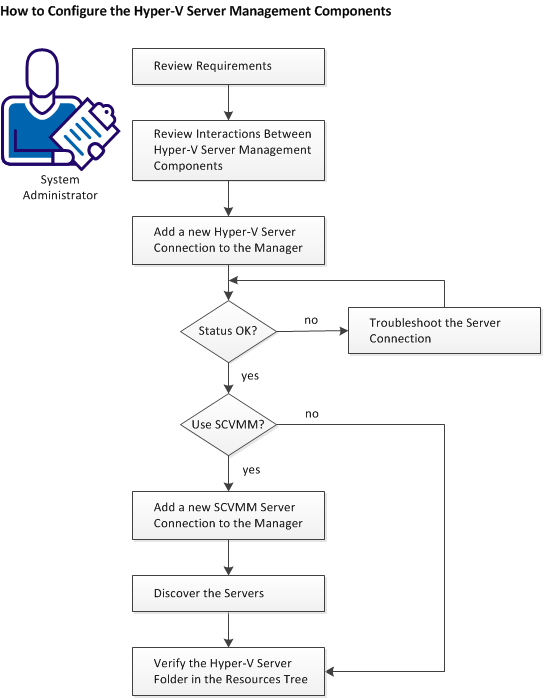
Follow these steps:
Review Hyper-V Requirements
Apply Required Settings for Using Microsoft Hyper-V
Add a New Hyper-V Server Connection to the Manager
(Optional) Add the SCVMM Management Instance to the CA Virtual Assurance Manager
Discover the Servers
Verify the Hyper-V Server Folder in the Resources Tree

