Installation Guide › Upgrading CA Virtual Assurance › How to Upgrade CA Virtual Assurance
How to Upgrade CA Virtual Assurance
The following diagram provides an overview about the upgrade process.
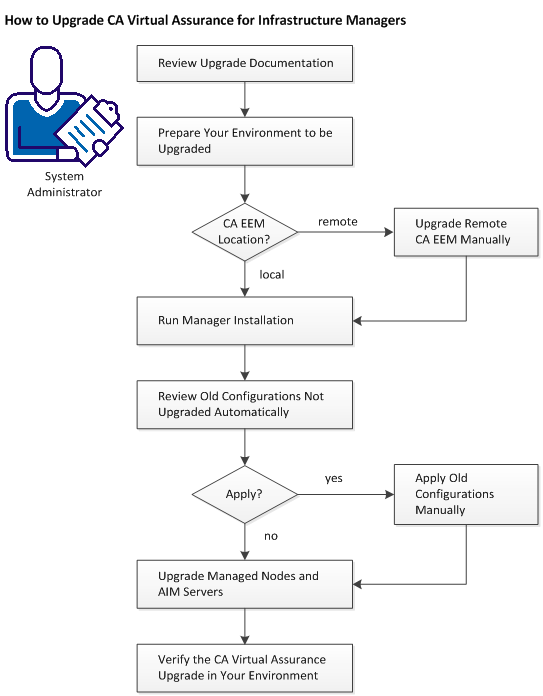
Follow these steps:
Review Upgrade Documentation
Prepare the Environment You Want to Upgrade
Upgrade Remote CA Embedded Entitlements Manager Manually
Run Manager Installation
Review Old Configurations Not Upgraded Automatically
Apply Old Configurations Manually
Upgrade Managed Nodes and AIM Servers
Verify the CA Virtual Assurance Upgrade in Your Environment

