

|
|
|
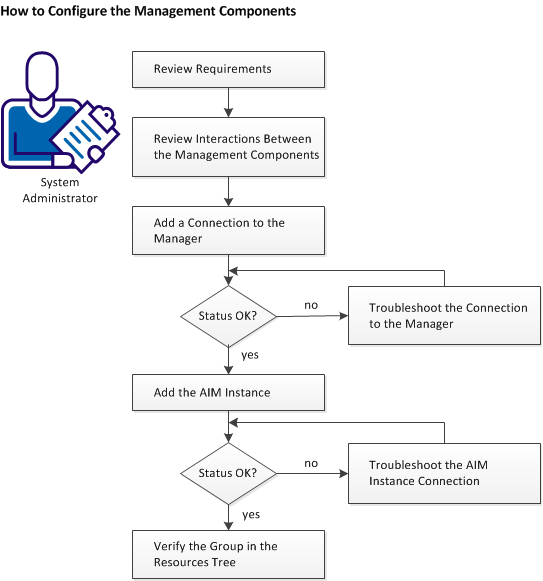
The following diagram provides an overview of the required actions to configure the management components. The diagram includes corresponding troubleshooting strategies in case of connection problems.
The Microsoft Cluster Service (MSCS) connects two or more servers together and shows them as a single computer to clients. Clustering helps you to have a fail-safe application. A cluster aware application such as Microsoft SQL Server runs on one node at a time. If that node goes down, another node takes over the service. Clustering ensures that your application is up all the time.
If the Microsoft cluster component is installed with CA Virtual Assurance, an administrator can register and manage clusters using the Administration tab.
Follow these steps:
| Copyright © 2012 CA. All rights reserved. | Tell Technical Publications how we can improve this information |