Administration Guide › Managing Virtual Environments › Red Hat Enterprise Virtualization › How to Configure the Red Hat Enterprise Virtualization Management Components
How to Configure the Red Hat Enterprise Virtualization Management Components
The following diagram provides an overview of the required actions to configure the management components. The diagram includes corresponding troubleshooting strategies in case of connection problems.
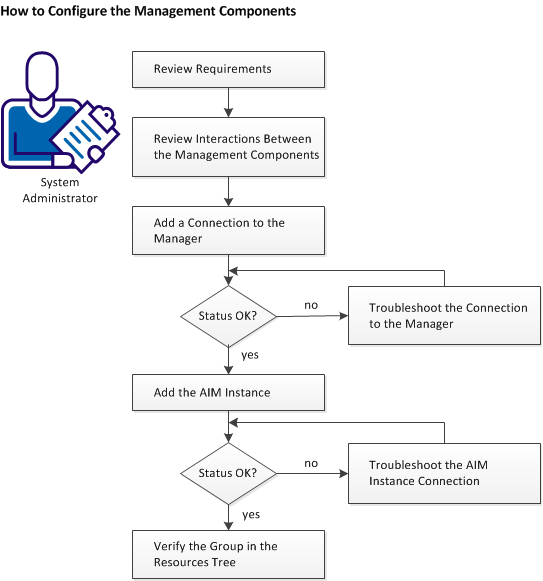
Follow these steps:
- Review Requirements.
- Review Interactions Between RHEV Management Components.
- Add a Red Hat Enterprise Virtualization Connection to the Manager.
- Troubleshoot if Server Connection to the Manager Failed.
- Add the Discovered Red Hat Enterprise Virtualization AIM Instance.
- Troubleshoot the AIM Instance Connection.
- Verify the Red Hat Enterprise Virtualization Group in the Resources Tree.

