

|
|
|
CA GMI can be configured to collect data in either Automatic or Manual mode.
 .
.
To change the Data Collection mode
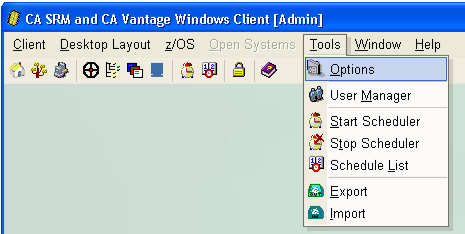
The Global Options dialog opens.
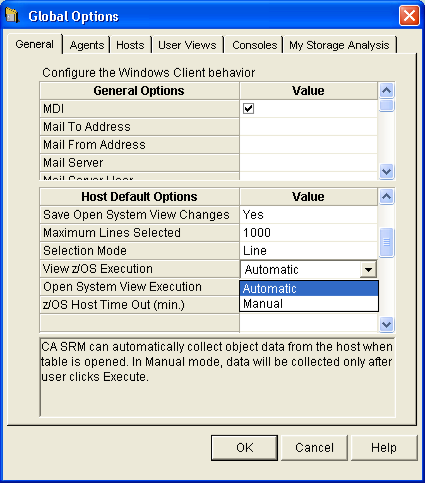
The Windows Client will collect data based on the mode that you have chosen. If you select Automatic then the Windows Client will automatically collect object data from the host when an object view is opened. If you select Manual then the Windows Client will only collect object data from the host after you click the Execute icon in the tool bar of the object view.
Note: The examples used in this Guide assume that Automatic mode is selected.
| Copyright © 2010 CA. All rights reserved. | Tell Technical Publications how we can improve this information |