

|
|
|
You can open the Windows Client from the Start menu by clicking Start, Programs, CA, CA Storage Resource Manager, Windows Client.
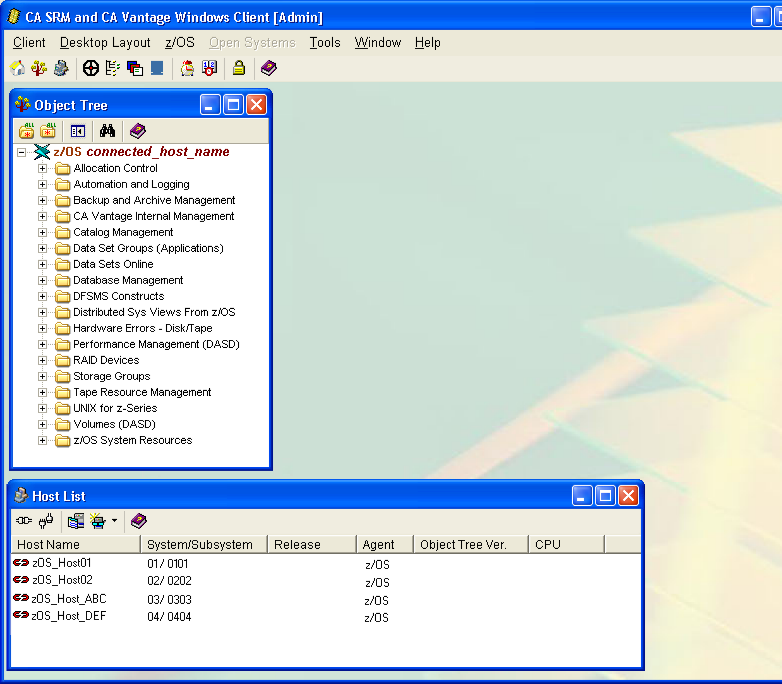
The following sample of the Windows Client displays the z/OS Object Tree and the Host List dialogs. You can decide which dialogs to display and where to put them in the Main Window.
The top of the Main Window of the Windows Client has the following menu bar and toolbar, as shown in the following sample:
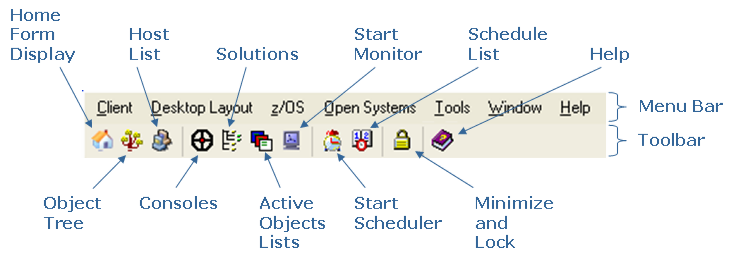
Note: The Windows Client menu bar and toolbar options are explained in the CA Vantage Client User Guide.
| Copyright © 2010 CA. All rights reserved. | Tell Technical Publications how we can improve this information |