Federation › Federation Security Services Guide › Configure SiteMinder as a Resource Partner › How To Protect a Target Resource with a WS-Federation Authentication Scheme › Assign the WS-Federation Scheme to a Realm › Configure a Single Target Realm
Configure a Single Target Realm
To create the single target realm
- Log into the Policy Server User Interface.
- Display the policy domains.
- Expand the policy domain where you will add the new realm.
- Click on the realm icon.
- From the menu bar, select Edit, Create Realm.
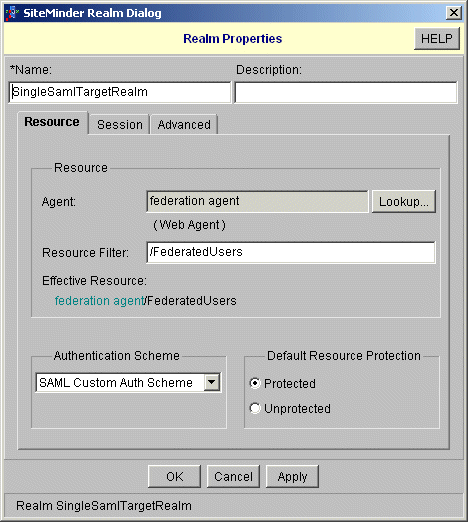
The SiteMinder Realm dialog box opens.
- In the Name field, enter a name for this custom target realm.
- In the Agent field, select a SiteMinder Web Agent protecting the Web server with the target Service Provider resource.
- In the Resource Filter field, specify the location of the target resource.
For example, /FederatedUsers
- From the Authentication Scheme drop-down list, select the custom authentication scheme that you configured for directing requests to the appropriate WS-Federation authentication schemes.
- Ensure that Protected is selected in the Default Resource Protected group box.
- Click OK to save the realm configuration.
The following illustration shows the Realm Properties dialog box for the custom realm.