

|
|
|
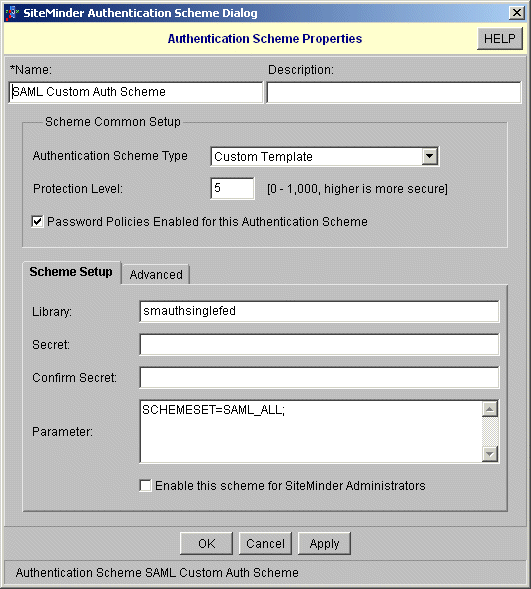
To create a custom authentication scheme for a single realm
The Authentication Scheme Properties dialog box opens.
In the Parameter field, which instructs the custom scheme which SAML authentication schemes it should use, specify one of the following options:
Specifies the list of SAML authentication scheme names to use. If you configured an artifact scheme called artifact_Idp1 and POST profile scheme called samlpost_IdP2, you will enter these schemes.
Specifies all the schemes you have configured. The custom authentication scheme will enumerate all the SAML authentication schemes and find the one with the correct Provider Source ID for the request.
Specifies all the SAML POST Profile schemes you have configured. The custom authentication scheme will enumerate the POST Profile schemes and find the one with the correct Provider Source ID for the request.
Specifies all the SAML artifact schemes you have configured. The custom authentication scheme will enumerate the artifact schemes and find the one with the correct Provider Source ID for the request.
| Copyright © 2011 CA. All rights reserved. | Email CA Technologies about this topic |