

|
|
|
For the most part, SiteMinder manages user sessions automatically, performing a number of session management functions during the life cycle of a user session, as illustrated below.
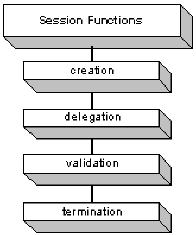
Establishing a session when a user successfully logs into an application. If a user fails to authenticate, no session is established.
Passing session information across an application environment. Delegating session information is necessary when an application’s logic crosses several application tiers.
Verifying the session ticket to make sure the user session is still active, that is, it has not expired or been terminated.
Ending a user session when a user logs out, when the configured session timeouts expire, or when a user is manually disabled by the SiteMinder System Manager. When a user logs out or the user session expires, they must log in again to create a new session. In the case of manual user disablement, the user can not re-initiate a session.
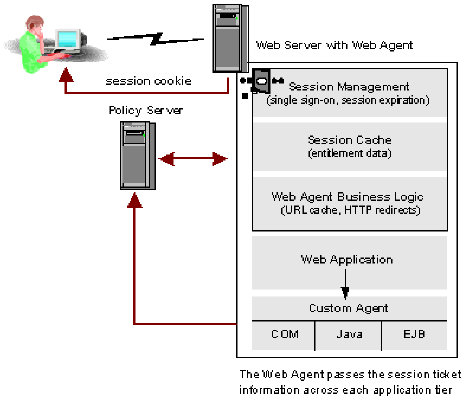
The following diagram illustrates how SiteMinder manages a non-persistent session.
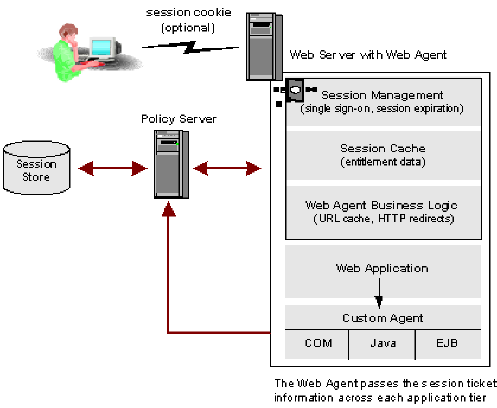
The following diagram illustrates how SiteMinder manages a persistent session.
| Copyright © 2011 CA. All rights reserved. | Email CA Technologies about this topic |