

|
|
|
Everyone who has access to Policy Server objects and tools is considered an administrator. Depending on their role in your organization, Policy Server administrators have access to different network resources and Policy Server features, and are responsible for different tasks.
When you install the Policy Server, the installation sets up a default administrator account automatically. This account has maximum privileges, and with it you can create additional administrator accounts for those who need to add or make changes to Policy Server objects.
The following diagram illustrates the types of administrator privileges associated with certain job responsibilities.
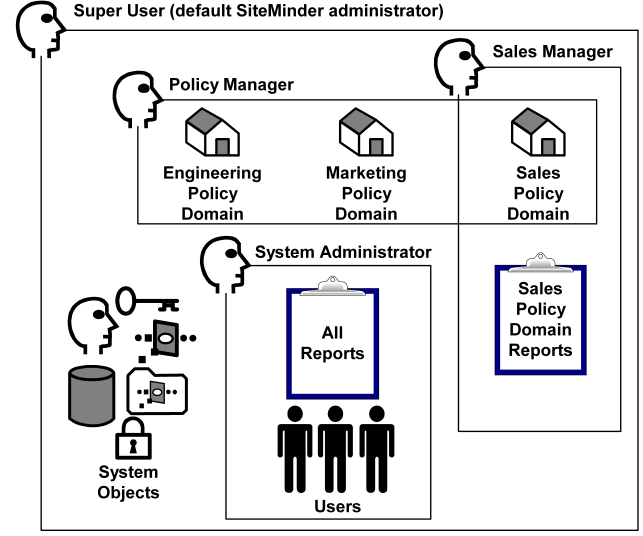
In the previous figure, certain administrative responsibilities overlap. For example, the Policy Manager and the Sales Manager may both make changes to the Sales policy domain and the objects (rules, policies, responses, etc.) contained in the policy domain. The Super User may access all objects, manage users, and view all reports. You can create administrators and assign privileges to the administrators to match the administrative roles that exist in your organization.
| Copyright © 2011 CA. All rights reserved. | Email CA Technologies about this topic |