

|
|
|
One example of an Intrusion Report is the all-inclusive Intrusion Report.
The report heading summarizes the number of intrusions that occurred during the period of time covered by the report.
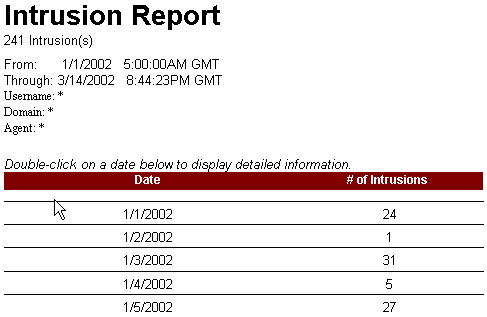
You can double-click a date to view intrusion information by hour:
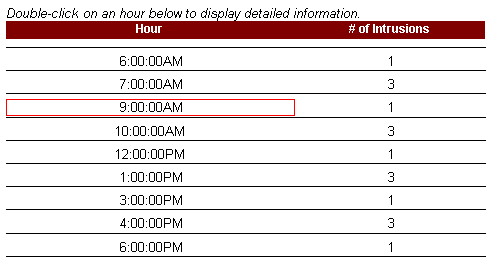
Double-click a time to view intrusion details:
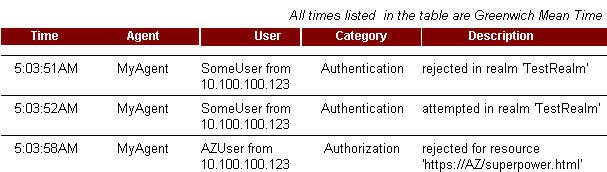
Intrusion details include the following information:
Lists the time of each intrusion, from the oldest time to the most recent time.
Lists the name of the Agent on which the intrusion occurred. When an activity is of an administration, not authentication or authorization category, and occurs on a Policy Server, not an Agent, the Agent field contains the entry <blank agent name>.
Lists the user name associated with the logged activity.
Describes the type of activity that was logged.
Describes the actual activity that occurred during the time noted in the Report.
When any category of event is logged as a rejection or failure, the color of the text on the computer screen is red. The exclamation (!) point is not used in any of the Intrusion Reports.
| Copyright © 2011 CA. All rights reserved. | Email CA Technologies about this topic |