

|
|
|
The following sample Activity Report reflects all activity event notifications that occurred in a specific date range.
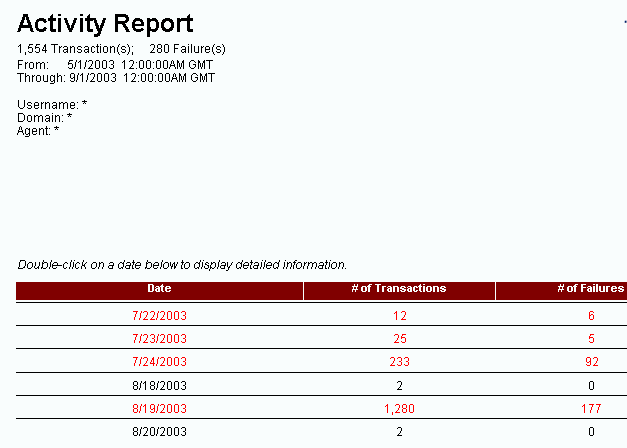
The report heading lists the dates covered in the report, and summarizes the transactions and failures that occurred during the specified dates. The report also lists the transactions and failures by date.
You can double-click a date in the main screen to view the events that occurred each hour.
You can double-click an hour to view event details:
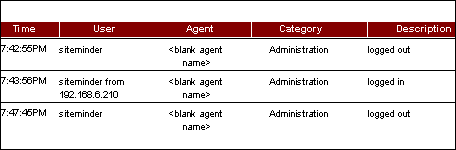
Event details contain the following information:
Lists the times when events occurred from the oldest time to the most recent time.
Contains the user name associated with the event. In this sample report, the user is SiteMinder.
Lists the names of the Agents where the activity occurred. Notice that the Agent column under the SiteMinder user contains the entry <blank agent name>. This is because the activity occurred on a Policy Server, not an Agent.
Describes the type of activity that was logged. For the SiteMinder user, all activity was concerned with Administration actions.
Describes the actual activity that occurred during the time noted in the Activity Report.
When any category of event is logged as a rejection or failure, the color of the text on the computer screen is red.
| Copyright © 2011 CA. All rights reserved. | Email CA Technologies about this topic |